
- C3 AI: Targets enterprise inventory optimization.
- Netstock: Provides ERP-connected inventory planning.
- UiPath: Coordinates workflows across multiple systems.
- Softr: Supports lightweight, custom inventory workflows.
- Ply: Focuses on inventory management and purchasing for the trades.
- Custom development: Best when unique business rules cannot be configured safely in an existing product.
| Option | Best fit | Main strength | Main limitation | Typical path |
|---|---|---|---|---|
| C3 AI Inventory Optimization | Large enterprises optimizing item-location inventory policies | Reorder recommendations, uncertainty analysis, and explainability | Enterprise data and integration effort | Buy and integrate |
| Netstock | ERP-based distributors and manufacturers | Demand planning, safety stock, and replenishment recommendations | Results depend on clean ERP history and master data | Buy and integrate |
| UiPath | Enterprises with manual work across ERP, WMS, email, and spreadsheets | Process automation and exception handling | It doesn’t replace the inventory system of record | Add an automation layer |
| Softr | Teams that need a lightweight custom inventory interface | Fast forms, dashboards, permissions, and workflow assembly | It isn’t a full ERP or warehouse management system | Configure or extend |
| Ply | Trades businesses managing warehouse, truck, and job-site inventory | Mobile inventory and purchasing workflows for field operations | Narrow vertical fit | Buy and configure |
| Custom software | Companies with proprietary logic or unusual integration constraints | Full control over data, models, workflow, and product roadmap | Highest delivery and maintenance responsibility | Build selectively |
Your inventory system may already record every receipt, transfer, and sale while still leaving planners to make tomorrow’s decisions in spreadsheets. The real choice isn’t whether to add AI. It’s whether a packaged forecasting product, an automation layer, a configurable app, or custom software can make reliable decisions from your data. Which option fits the operating model you actually run?
What does AI inventory management software actually do?
AI inventory management software converts operational data into forecasts, recommended stock policies, alerts, or automated actions. It can estimate demand, suggest replenishment, classify items, detect anomalies, summarize inventory conditions, and route exceptions. The software still needs accurate item, location, supplier, lead-time, and transaction data. AI cannot repair an undefined planning process by itself.
The broad term covers several different product types:
Inventory suites record purchasing, stock movement, orders, and availability.
- Planning and optimization tools forecast demand and recommend inventory policies.
- Automation platforms move data and execute repetitive work across existing systems.
- Configurable app builders create forms, dashboards, and internal workflows on top of existing data.
- Custom systems implement proprietary decisions, integrations, and user experiences.
This distinction matters. A forecasting engine may recommend an order without owning purchase approvals. An automation bot may enter the order without deciding the quantity. A dashboard may show a shortage without controlling stock. The use of AI in inventory management system design only works when each responsibility has a defined owner.
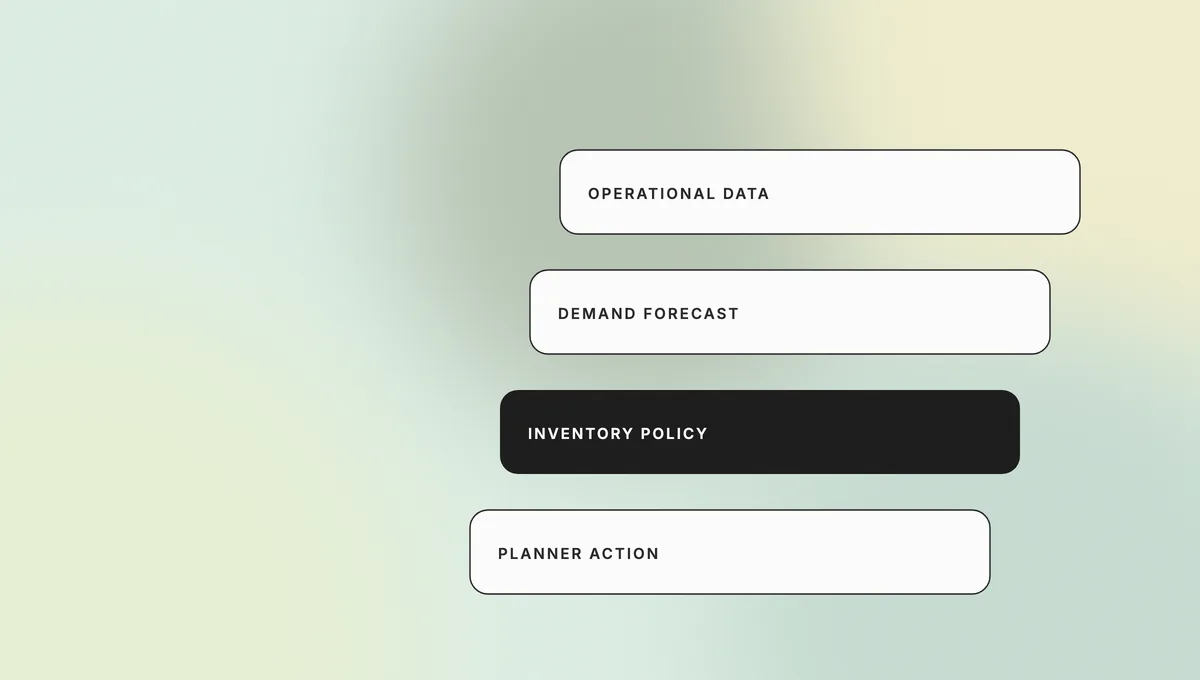
| AI function | Inputs it needs | Output | Human control point |
|---|---|---|---|
| Demand forecasting | Sales history, promotions, seasonality, returns, external signals | Expected demand by item and period | Planner reviews exceptions and forecast bias |
| Replenishment | Forecast, lead time, service target, stock position, order constraints | Suggested order quantity and timing | Buyer approves or applies policy-based limits |
| Anomaly detection | Transactions, stock counts, movements, supplier events | Alert or risk score | Operations investigates the cause |
| Classification | Item behavior, value, variability, margin, criticality | Segment or planning policy | Team approves policy by segment |
| Workflow automation | Approved rules, events, system access, exception paths | Updated record, task, message, or order | Owner reviews exceptions and audit logs |
| Conversational analysis | Governed inventory data and business definitions | Answer, summary, or report | User verifies material decisions against source records |
A useful conceptual overview from LeewayHertz groups applications around forecasting, stock optimization, warehouse operations, supplier management, and decision support. The implementation question is narrower: which of those capabilities must your chosen product own, and which should remain in the ERP, WMS, ecommerce platform, or planning team?
How did we evaluate the shortlist?
We evaluated the shortlist by product fit rather than declaring one universal winner. The review used current first-party product pages and documentation available on October 19, 2026. It wasn’t a controlled hands-on benchmark, and the list doesn’t claim identical scope across products. Each option represents a practical buying or implementation path for a different operating model.
The criteria were:
- Planning depth: demand forecasting, safety stock, replenishment, and exception management.
- System-of-record coverage: whether the product owns inventory transactions or works around another platform.
- Integration fit: support for ERP, WMS, ecommerce, spreadsheet, database, and API data.
- Planner control: visibility into recommendations, overrides, and operational policy.
- Workflow automation: ability to act on approved decisions and route exceptions.
- Governance: roles, permissions, auditability, data boundaries, and deployment control.
- Implementation effort: data preparation, process change, integration, and maintenance.
- Extensibility: ability to support unique rules without turning every change into a workaround.
Pricing changes frequently and often depends on users, modules, transaction volume, or implementation scope. Confirm current quotes with each vendor instead of comparing stale list prices.
Which AI inventory management software is best in 2026?
The best fit depends on where you need intelligence and which platform already controls inventory. C3 AI is an enterprise optimization layer. Netstock specializes in planning around ERP data. UiPath automates cross-system work. Softr creates lightweight custom interfaces. Ply supports trades-specific inventory and purchasing. A custom build is the right comparison when proprietary rules or integration constraints drive the project.
1. C3 AI Inventory Optimization: best for enterprise optimization
C3 AI Inventory Optimization is designed for enterprises that need item- and facility-level inventory recommendations across a large operating network. The product page describes reorder recommendations, uncertainty prediction, scenario analysis, explainability, and integration with planning systems. These are product capabilities, not proof that every implementation will achieve the vendor’s published outcome percentages.
Choose it when:
- You operate a large inventory network with complex item-location decisions.
- Existing planning systems need an optimization and recommendation layer.
- Planners require context and explanations around recommendations.
- Your data and engineering teams can support enterprise integration and model monitoring.
Trade-off: An enterprise optimization layer can support richer decisions, but implementation depends on data quality, integration, governance, and planner adoption. Treat vendor outcome claims as vendor evidence unless an independent customer study documents the baseline and measurement window.
2. Netstock: best for ERP-connected inventory planning
RNetstock is a planning and inventory optimization layer for companies that already operate an ERP. Its inventory optimization product focuses on demand forecasting, classification, safety stock, replenishment, and exception-based planning. Netstock also describes AI-supported planning capabilities intended to help users analyze and act on supply and demand data.
Choose it when:
- Your ERP remains the inventory system of record.
- You need better planning without replacing the transactional platform.
- Buyers and planners need prioritized exceptions and recommendations.
- The business operates many items, suppliers, or stocking locations.
Trade-off: A planning layer can expose poor data faster than it fixes it. Inconsistent lead times, item codes, units, transaction history, or stock policies will weaken recommendations until the underlying records improve.
3. UiPath: best for automation around existing inventory systems
UiPath fits enterprises that already have ERP and warehouse platforms but still depend on manual purchasing, reconciliation, data entry, email, or spreadsheet work. Its inventory management automation offering describes demand and safety-stock forecasting, reorder recommendations, purchasing workflows, supplier communication, replenishment, and exception handling with human oversight.
Choose it when:
- Repetitive work spans several systems that cannot be replaced quickly.
- Inventory exceptions require data collection, routing, and approval.
- The organization already operates UiPath with appropriate governance.
- Automation can produce value without changing the system of record.
Trade-off: Automation can preserve a bad process at higher speed. Redesign the workflow before adding bots or agents, and keep business rules separate from fragile screen-level automation where possible.
For a broader view of governed autonomy in operations, see Teamvoy’s guide to agentic AI in manufacturing.
4. Softr: best for lightweight custom inventory workflows
Softr is useful when the requirement is a custom internal inventory interface rather than a new enterprise inventory engine. Its inventory app builder supports forms, dashboards, role-based interfaces, and workflow assembly on top of connected data sources. Softr also publishes a dedicated AI inventory management app path.
Choose it when:
- A team needs a focused app for stock requests, counts, approvals, or visibility.
- The source data already lives in Airtable, Sheets, SQL, or another supported system.
- You need a department-level workflow faster than a conventional custom build.
- The process can operate within a no-code platform’s security and integration model.
Trade-off: Softr can create the user-facing workflow, but it shouldn’t be mistaken for a complete ERP, WMS, or advanced planning suite. Keep financial inventory truth, warehouse execution, and critical controls in systems designed to own them.
5. GitHub Copilot: best for GitHub-centered engineering teams
Ply is a vertical inventory and purchasing product for trades such as HVAC, plumbing, electrical, and related field-service businesses. Its product site describes visibility across warehouses, trucks, and job sites, along with mobile scanning, low-stock alerts, usage-based reorder alerts, min/max levels, purchase documents, and purchasing controls.
Choose it when:
- Inventory moves between a warehouse, service vehicles, and job sites.
- Field teams need mobile access and scanning.
- Purchasing workflows must connect usage, reorder signals, and vendor information.
- A trades-specific product fits better than a general retail planning suite.
Trade-off: Vertical fit is the benefit and the limitation. Ply is not a general enterprise planning platform for every retail, manufacturing, or distribution environment. Confirm integration, accounting, security, and reporting requirements before treating it as the core inventory system.
When is custom AI inventory software the best option?
Custom software is the better option when inventory decisions are proprietary, integrations are unusually complex, or packaged workflows create operational risk. It can combine forecasting, operational rules, approval, and user experience around your actual data model. It also places delivery, security, model monitoring, and long-term maintenance on your organization and development partner.
- Treat forecasting, automation, and the inventory system of record as separate capabilities.
- One workflow across several ERPs, warehouses, marketplaces, or acquired businesses.
- Strict data residency, deployment, access, or model-control requirements.
- A specialized user experience for planners, buyers, stores, suppliers, or field teams.
- An API or decision service embedded in a customer-facing product.
- A controlled migration away from spreadsheets or an aging internal application.
A custom build should not be the default. If a packaged product covers the process with reasonable configuration, buying usually produces value sooner and transfers part of the product-maintenance burden to a vendor.
How is AI used in inventory management?
AI is used to estimate future demand, set inventory targets, detect unusual stock movement, prioritize exceptions, and automate approved work. The strongest implementations connect these models to explicit operating policy: service targets, lead-time assumptions, supplier constraints, order multiples, shelf life, capacity, and human approval thresholds.
- Collect: Pull governed data from orders, inventory, products, suppliers, warehouses, and relevant external signals.
- Prepare: Resolve identifiers, missing values, returns, promotions, substitutions, and calendar effects.
- Predict: Estimate demand, lead time, risk, or anomaly likelihood at the required level.
- Apply policy: Convert predictions into safety stock, reorder points, allocation, or exception rules.
- Review: Give planners the context needed to accept, override, or investigate.
- Act: Create an order, task, alert, transfer, or system update through controlled integration.
- Measure: Compare outcomes with the forecast, baseline, and business target.
The use of AI in inventory management system architecture should keep prediction separate from authorization. A model may suggest an order. Policy determines whether the recommendation is valid. A person or approved rule authorizes the transaction. This separation makes the process easier to audit and change.
Why use AI for inventory management in e-commerce?
Ecommerce inventory changes across channels, warehouses, promotions, returns, and supplier lead times, so static reorder rules become inaccurate quickly. AI can use more demand signals, update forecasts more often, and prioritize items that need attention. The business benefit comes from better decisions, not from adding an AI label to the dashboard.
- Channel volatility: Demand can move quickly between a marketplace, direct store, retail partner, and region.
- Promotion effects: Campaigns change item-level demand and can distort the history used by simple averages.
- Returns: Available-to-sell inventory and expected return flow affect replenishment decisions.
- Long-tail catalogs: Planners cannot review every item-location combination manually.
- Customer promises: Inaccurate availability creates cancellations, split shipments, and support work.
AI in inventory management can help rank the exceptions and update the forecast, but ecommerce teams still need clear allocation rules and a reliable source of truth. A model cannot compensate for delayed channel feeds, duplicate SKUs, or inconsistent treatment of returns.
Teamvoy’s retail software services page explains the surrounding integration problem: inventory, orders, customers, POS, ERP, and order-management data must remain consistent across the retail stack.
Should you buy, extend, or build an AI inventory management system?
Buy when standard inventory and planning workflows cover the requirement. Extend when the core product is sound but users need a better interface, automation, or integration. Build when proprietary decisions, system fragmentation, or control requirements make the gaps central to the business. Most organizations should use a hybrid approach rather than recreating every inventory capability.
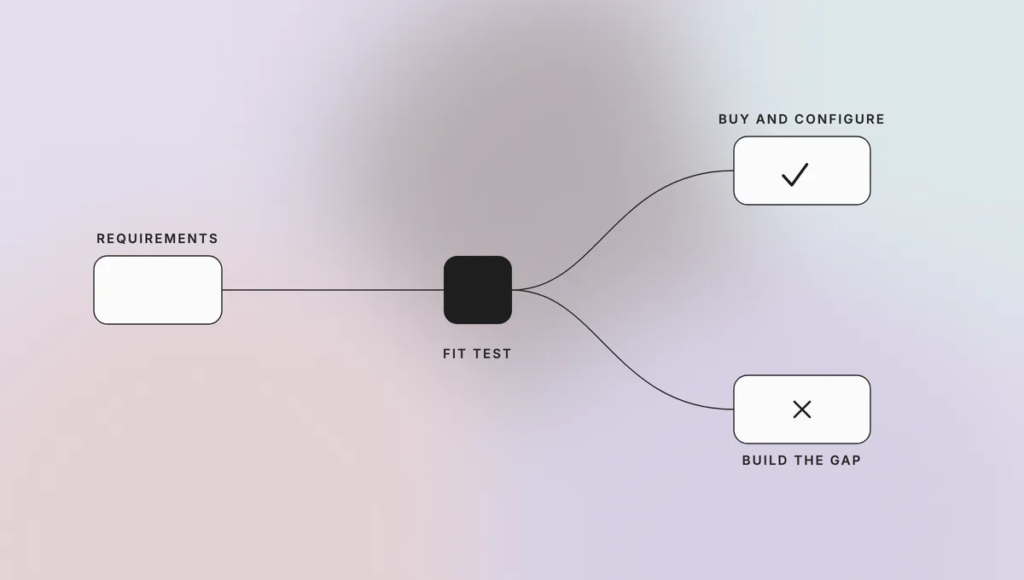
| Decision factor | Buy a suite | Add planning or automation | Build custom software |
|---|---|---|---|
| Core inventory transactions | Strong fit for standard processes | Remain in the current ERP/WMS | Build only when existing systems cannot support the model |
| Forecasting | Vendor model and workflow | Specialist planning layer | Proprietary model, policy, or decision service |
| Integration | Standard connectors | Connect around the system of record | Custom integration across unusual or fragmented platforms |
| Speed to initial value | Usually fastest | Moderate | Usually slowest |
| Product control | Vendor roadmap | Shared across vendors and internal team | Highest control |
| Maintenance responsibility | Lowest internal burden | Shared | Highest internal burden |
| Differentiation | Limited | Selective | Highest where logic is proprietary |
| Exit complexity | Data and workflow migration | Multiple vendor dependencies | Code, model, and operating ownership remain internal |
A practical rule is buy the commodity, build the constraint. Inventory ledgers, standard purchasing, and common warehouse transactions rarely justify a bespoke replacement. Proprietary allocation, product-specific forecasting, cross-company orchestration, or a differentiated customer promise may justify custom engineering.
If the main problem is order orchestration rather than inventory intelligence, compare that decision with Teamvoy’s guide to automating complex ordering without a custom platform.
What data and controls should be ready before implementation?
Implementation should start with data ownership, shared definitions, and clear decision rights across teams. Model selection comes later. Define the item-location level, source of truth, lead-time rules, returns treatment, service targets, override process, and automation boundary before connecting an AI feature.
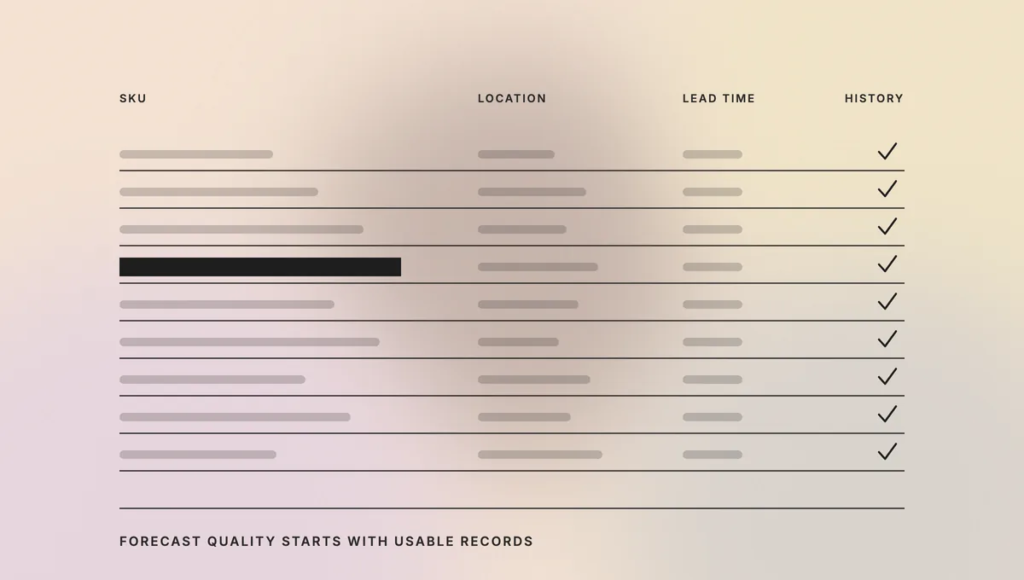
Use this readiness checklist:
- Confirm the system of record for items, stock, purchase orders, sales orders, transfers, and returns.
- Standardize SKU, location, supplier, unit, and calendar identifiers.
- Document historical gaps, one-time events, promotions, substitutions, and assortment changes.
- Define service-level policy and the cost of shortage versus excess stock.
- Set approval thresholds for orders, transfers, write-offs, and supplier changes.
- Decide where recommendations, overrides, and final actions will be logged.
- Test permissions, audit trails, integration failure handling, and rollback.
- Run a bounded pilot on a representative segment before scaling.
Security claims also need scope. A vendor certification may cover its service while your integrations, data flows, permissions, and custom extensions remain your responsibility.
How should you measure ROI from AI inventory management software?
Measure ROI against a documented operational baseline, not against the model’s own confidence score. Track service, working capital, forecast performance, planner effort, and exception quality for the same item and location segments before and after implementation. Separate changes caused by the software from promotions, supplier disruption, assortment changes, or policy updates.

| KPI | What it shows | Measurement note |
|---|---|---|
| Stockout or fill rate | Whether customers can get the item | Segment by item class, location, and channel |
| Inventory turns or days on hand | How efficiently working capital is used | Check whether service declined while stock fell |
| Forecast error and bias | Prediction quality and systematic over- or under-forecasting | Use a metric appropriate to demand behavior |
| Expedite and emergency transfer rate | Operational instability | Include transport and handling cost |
| Obsolescence, spoilage, or markdown | Cost of excess or aging inventory | Separate lifecycle events from forecast error |
| Planner time and exception volume | Manual effort and workflow quality | Measure whether automation reduced work or moved it elsewhere |
| Recommendation acceptance and override | Planner trust and policy fit | Require reason codes for material overrides |
| Integration and automation failure | Reliability of the operating process | Track retries, manual recovery, and incorrect actions |
The chosen software should improve a balanced scorecard. A system that raises availability by holding far more stock may not improve the business. A system that reduces inventory while increasing cancellations also fails the test.
How can non-technical teams use these platforms?
Non-technical teams can use prompt-led builders to clarify requirements, create bounded utilities, and iterate on interfaces. Production access should still follow IT rules for identity, data, integrations, and release. The useful boundary is “business users shape the workflow; accountable owners approve the system,” rather than unrestricted app creation.
Templates and approved connectors can make this model practical. Give teams a safe development workspace, sample data, reusable authentication, and a path for technical review. That reduces shadow IT without forcing every workflow idea into the central engineering backlog.
For higher-risk use cases, business users should remain subject-matter owners rather than production administrators. A finance lead can define approval logic. Security and engineering still decide how credentials, audit history, and deployment work.
What are the common failure modes?
Most failures come from weak data, unclear ownership, excessive scope, or automation without operational policy. Teams often buy a forecasting feature before deciding who owns overrides, how recommendations become orders, or how performance will be measured. The result is another dashboard beside the spreadsheets it was meant to replace.
Watch for these patterns:
- Building a custom platform when configuration would solve the requirement.
- Comparing vendors before defining the target workflow.
- Treating ERP history as clean training data without profiling it.
- Automating purchase or transfer decisions before setting limits and approvals.
- Running one forecast metric across intermittent, seasonal, and fast-moving items.
- Launching across the full catalog instead of using a bounded pilot.
- Hiding recommendations inside a black box that planners cannot challenge.
- Measuring adoption by logins rather than business outcomes.
Conclusion
The best AI inventory management software matches the decision, data, and operating model your company already has. Start by identifying whether you need a system of record, planning layer, automation platform, configurable interface, or proprietary decision service. Buy standard capabilities where they fit. Build only the inventory logic and workflow that justify long-term ownership.
Talk to Teamvoy About AI Inventory Management Software
Teamvoy can assess your inventory data, integration constraints, and build-versus-buy options before you commit to a platform or custom program. Explore our AI development services to plan a bounded pilot, an integration layer, or custom inventory software around measurable operational outcomes.