
TL;DR
The best internal vibe coding platforms depend on who will own the application after the first prompt. Lovable and Replit Agent fit prompt-led app creation. Cursor and GitHub Copilot fit developer-owned codebases. Google AI Studio Build mode fits teams building around Gemini capabilities. Buy for standard, low-risk workflows; build when the tool contains differentiated logic, sensitive integrations, or long-term product value.
- Lovable: best fit for visually complete, prompt-led internal app prototypes.
- Replit Agent: best fit for a hosted build-and-deploy workflow with task planning.
- Cursor: best fit for engineering teams that need codebase control and maintainability.
- Google AI Studio Build mode: best fit for Gemini-centered application experiments.
- GitHub Copilot: best fit for teams already managing work through GitHub and pull requests.
| Platform | Best fit | Primary user | Control model | Main trade-off |
|---|---|---|---|---|
| Lovable | Prompt-led dashboards, portals, and workflow prototypes | Product, operations, and technical teams | Generated application with code refinement | Production governance still needs deliberate engineering review |
| Replit Agent | Fast collaborative app creation and hosted deployment | Mixed product and engineering teams | Agent-planned project in Replit’s environment | Platform convenience can increase dependency on the hosted workflow |
| Cursor | Maintained internal applications in an existing repository | Software engineers | Developer-owned codebase and toolchain | Requires engineering skill and review discipline |
| Google AI Studio Build mode | Gemini-based experiments and full-stack prototypes | AI developers and technical product teams | Google AI Studio project with Gemini services | Broader enterprise architecture remains the team’s responsibility |
| GitHub Copilot | Coding tasks inside an established GitHub workflow | Developers and platform teams | Repository, issue, branch, and pull-request controls | It accelerates engineering rather than replacing it |
It usually starts with a useful prototype. Someone describes an approval flow. The AI generates a working interface. The team finally sees the internal tool it has discussed for months. The demo works. The screens look credible. The next request is clear: connect it to real company data.
The difficult part arrives after the demo. The app needs company data, role-based access, audit history, predictable deployments, and an owner who can fix it when the generated code changes. Nobody did anything careless. The prototype and the production system answer different questions.
This guide compares five current platform paths, shows where each one fits, and gives you a practical framework for deciding when to buy, build, or combine both.
What is an internal vibe coding platform?
An internal vibe coding platform uses natural-language instructions and AI-assisted development to create an application, workflow, or code change for employees rather than external customers. The category includes prompt-led app builders, hosted coding agents, AI-native editors, and repository agents. An AI internal tools builder may hide most code. A coding agent exposes the repository and diffs. Their common value is faster translation from business intent to working software. They don’t remove software ownership.
A request might be as direct as: “Create an equipment-maintenance dashboard with manager approval, CSV export, and role-based views.” The platform interprets the request. It generates an interface and application logic. The user can then refine the result through more prompts or direct code changes.
How internal vibe coding works
Most vibe coding tools combine three layers:
- Intent capture: a chat or prompt describes the application, change, or workflow.
- Generation and execution: an agent creates files, components, data models, tests, or deployment configuration.
- Review and refinement: a person checks the plan, output, permissions, behavior, and code before release.
The balance differs by product. A prompt-led builder can hide much of the repository and infrastructure. A coding agent works inside a development environment and expects the user to understand diffs, tests, dependencies, and deployment consequences.
Types of internal vibe coding platforms
| Type | Typical output | Best owner | Common risk |
|---|---|---|---|
| Prompt-led app builder | Working web app with screens, data, and workflows | Product team with engineering oversight | Prototype reaches sensitive data before governance catches up |
| Hosted coding agent | App project created and deployed in one environment | Cross-functional technical team | Hosting and workflow choices become hard to separate from the vendor |
| AI-native code editor | Changes in an owned repository | Engineering team | Speed increases the volume of code that still needs review |
| Repository coding agent | Issue-to-pull-request implementation | Team with mature Git and CI/CD practices | Poorly scoped tasks create plausible but incorrect changes |
| Open-source agent stack | Self-hosted or locally controlled coding workflow | Platform or AI engineering team | The organization inherits integration, security, and model operations |
The category matters because “business users can build apps” and “developers can ship code faster” are different buying decisions. A second AI internal tools builder may solve the same interface problem while giving the buyer another ownership model. Treating every product as a no-code platform produces the wrong shortlist.
How we evaluated internal vibe coding platforms
This comparison evaluates product fit through current vendor-owned documentation rather than unsupported benchmark claims. We look at build flow, code and data control, links to other systems, release path, review model, upkeep, and company controls. A platform ranks well when its operating model matches the internal tool. A strong first screen isn’t enough.
We used official product pages for Lovable, Replit Agent, Cursor, Google AI Studio Build mode, and GitHub Copilot. Product features and names change quickly. This article therefore follows a quarterly review cadence.
| Criterion | Question to ask | Failure signal |
|---|---|---|
| Build workflow | Can the target user move from requirement to reviewed output? | The tool generates code nobody on the team can assess |
| Code control | Can you inspect, export, test, and maintain the result? | A critical workflow depends on opaque generated behavior |
| Data integration | Can it connect to the required systems without exposing broad credentials? | Users paste secrets or production data into prompts |
| Identity | Can access follow company roles and offboarding rules? | The app uses shared accounts or parallel user directories |
| Deployment | Can you separate development, staging, and production? | Every prompt can affect the live tool |
| Auditability | Can you trace prompts, code changes, approvals, and releases? | A team cannot explain why behavior changed |
| Operations | Who monitors errors, dependencies, cost, and performance? | The prototype has users but no service owner |
This method does not claim that one platform is universally fastest or produces objectively better code. Those results depend on the task, prompt, model, repository, integrations, and reviewer. The team must test its own workflow.
The best internal vibe coding platforms in 2026
The strongest shortlist in 2026 includes Lovable, Replit Agent, Cursor, Google AI Studio Build mode, and GitHub Copilot. Lovable and Replit emphasize app creation. Cursor and Copilot strengthen developer workflows. Google AI Studio provides a Gemini-centered build path. The right choice follows the application’s owner, risk level, and expected lifespan.
1. Lovable: best for prompt-led internal app prototypes
Lovable is the clearest fit when a team wants to describe an application and receive screens, data handling, logic, authentication, and hosting in one prompt-led workflow. Its official app-builder page also supports continued refinement through chat or direct code editing. Teams can use it for portals, dashboards, forms, and early workflow tests.
A product manager or operations lead can make the workflow visible before an engineering team commits to a full build. The generated result can also give engineers a more concrete specification than a slide deck. The app still needs an owner.
Choose Lovable when:
- visual completeness matters early;
- the workflow is bounded and easy to demonstrate;
- a team wants to validate requirements before investing in custom architecture;
- engineers can review data access, authentication, dependencies, and generated code before production.
Look elsewhere when: the application needs deep legacy integration, strict deployment controls, complex authorization, or a long maintenance horizon that your team wants to manage entirely in its existing engineering stack.
2. Replit Agent: best for an integrated build-and-deploy workflow
Replit Agent suits teams that want an agent to plan tasks, create an application, and work inside a hosted development environment. Replit’s documentation shows an explicit task plan that users can accept or revise, alongside project, database, authentication, publishing, monitoring, and security tooling.
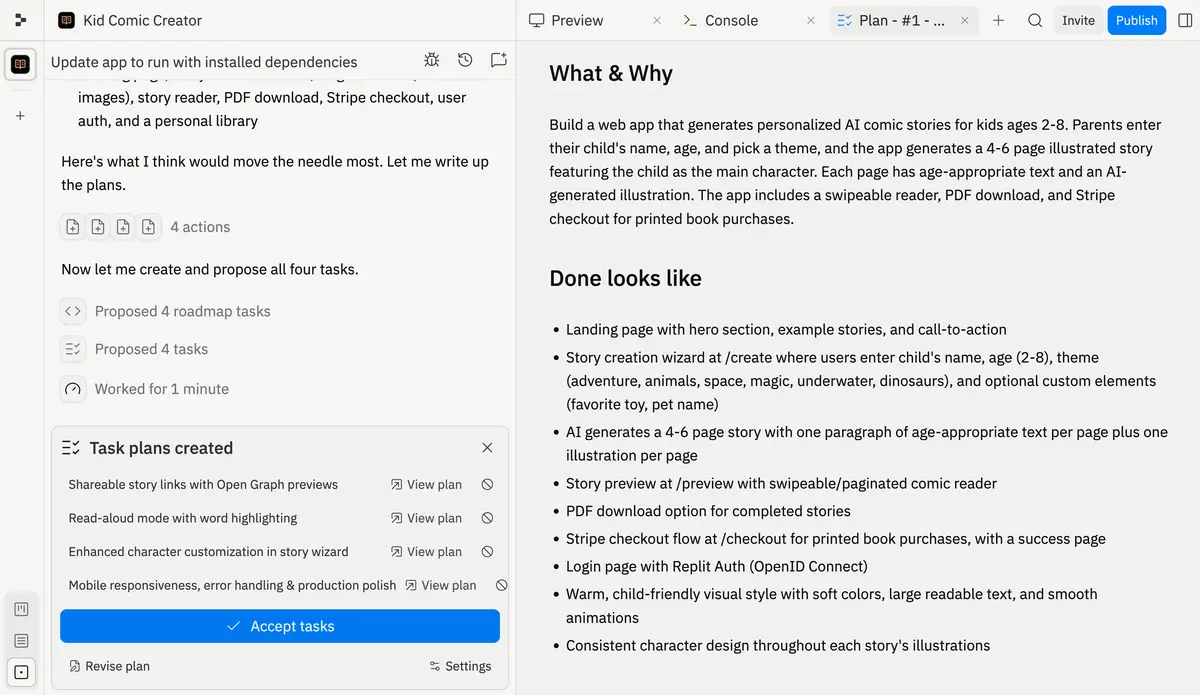
The integrated environment reduces the number of separate tools needed to move from idea to a shared application. It can work well for innovation sprints, departmental utilities, and prototypes that need a reachable deployment rather than a local demo. The hosting choice still shapes the exit path.
Choose Replit Agent when:
- collaboration and a shared hosted environment matter;
- the team wants planning, coding, preview, and publishing close together;
- the application can operate within Replit’s deployment and administration model;
- technical reviewers will check the generated project and its dependencies.
Look elsewhere when: your organization requires a specific cloud landing zone, tightly standardized CI/CD, extensive infrastructure-as-code controls, or a repository workflow that must remain independent of the development platform.
3. Cursor: best for maintainable, developer-owned internal apps
Cursor is a coding agent and editor for understanding a codebase, planning features, fixing bugs, reviewing changes, and using existing development tools. It fits internal applications that must remain in a normal software-engineering lifecycle, with developers responsible for architecture, tests, code review, deployment, and support.
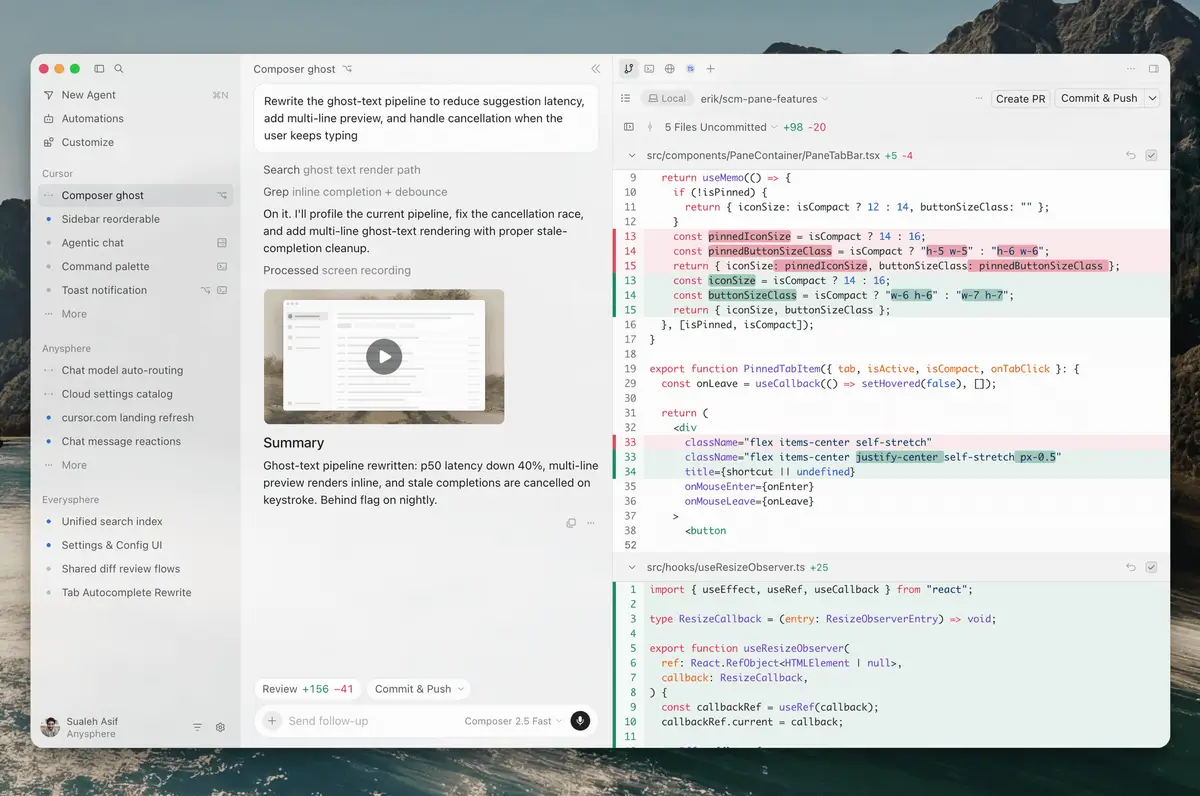
Cursor gives the agent repository context rather than asking a business user to assemble an app through a visual builder. That distinction matters when the internal tool shares services, libraries, identity, or data contracts with the rest of the company. Engineers keep the final say.
Choose Cursor when:
- developers will own the application after launch;
- the tool belongs in an existing repository and CI/CD pipeline;
- maintainability and architectural consistency matter more than a no-code experience;
- the team needs to inspect and review every change.
Look elsewhere when: the primary user is non-technical and needs to create a simple departmental workflow without waiting for an engineering backlog. Cursor can make engineers faster, but it doesn’t turn software maintenance into a business-user task.
4. Google AI Studio Build mode: best for Gemini-centered app experiments
Google AI Studio Build mode is the relevant platform when teams discuss Google AI Studio vibe coding. Gemini is the model layer. Build mode provides the application-building workflow. It fits technical teams testing multimodal interactions, structured outputs, function calling, and other Gemini capabilities before integrating them into a broader product architecture.
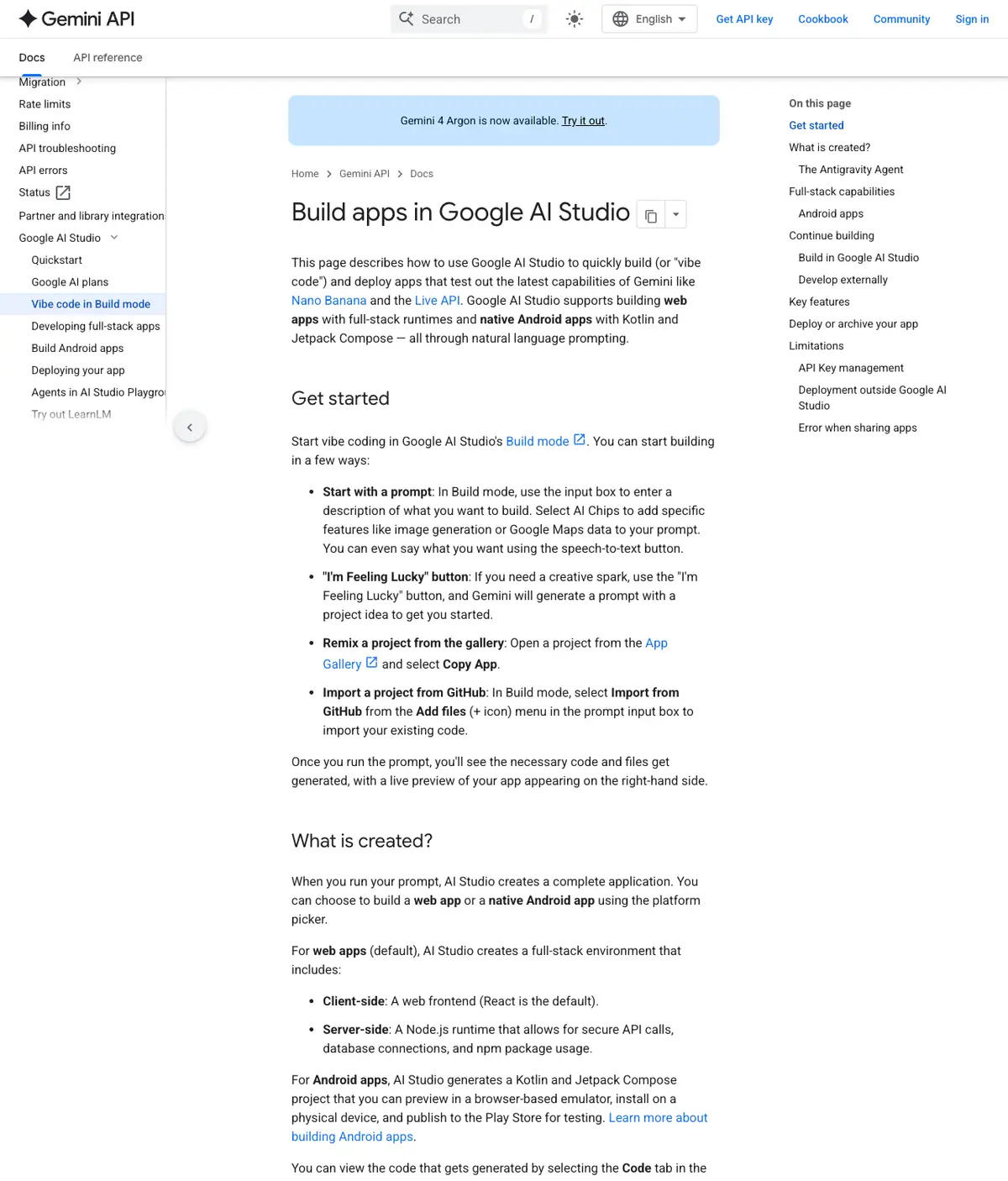
This Google AI Studio vibe coding path is useful when the internal tool’s value comes from model behavior rather than a standard form-and-database workflow. A team can explore the interaction and then decide whether the result should stay in the Studio workflow or move into an owned application. The model test and the production design are separate steps.
Choose Google AI Studio Build mode when:
- Gemini capabilities are central to the use case;
- the team is exploring model behavior and application structure together;
- developers can take responsibility for identity, data boundaries, deployment, and operations;
- the experiment may later become part of a custom application.
Look elsewhere when: the main requirement is a conventional internal admin tool with mature workflow templates and minimal AI-specific logic. A general app builder may offer a shorter route.
5. GitHub Copilot: best for GitHub-centered engineering teams
GitHub Copilot fits organizations that already manage internal application work through repositories, issues, branches, pull requests, and review. GitHub’s quickstart documents both code questions and coding tasks assigned to Copilot’s cloud agent, which can produce a pull request for a person to review.
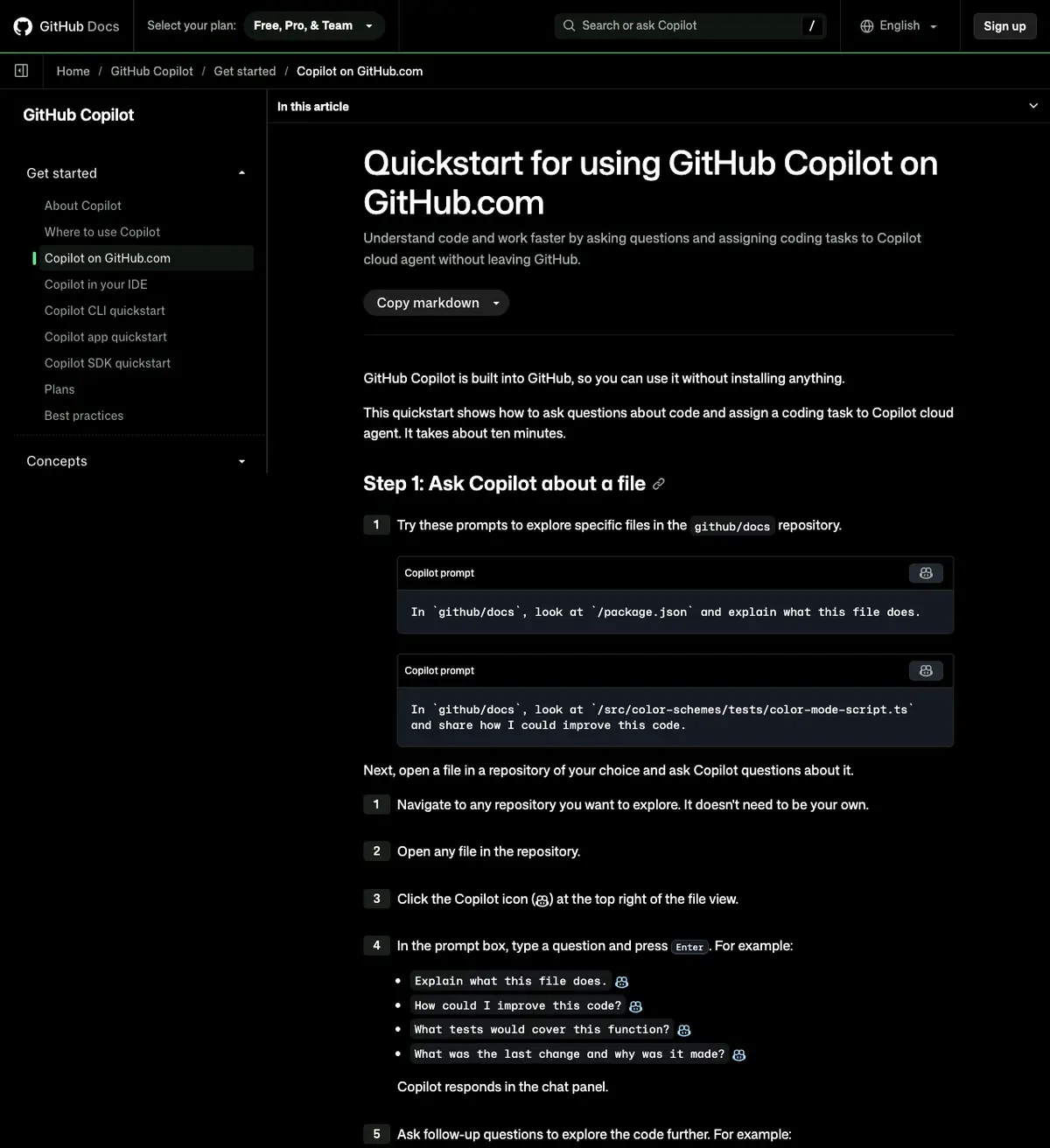
The platform’s advantage is workflow continuity. The task remains attached to the repository and review process rather than moving into a separate no-code environment. That can reduce friction for teams with established controls around branch protection, automated checks, and ownership. A reviewer still approves the change.
Choose GitHub Copilot when:
- GitHub is already the system of record for code and engineering work;
- internal tools are maintained by software developers;
- issue definition, pull-request review, and CI checks are mature;
- the organization wants AI assistance without replacing repository governance.
Look elsewhere when: operations or finance users need to build and change the tool directly. Copilot can implement well-scoped work, but the team still needs engineering practices and a reviewer who understands the result.
6. Open-source vibe coding tools: best when control outweighs convenience
Open-source coding agents can fit organizations that need local execution, model choice, custom policy, or self-hosted workflows. The trade-off is operational ownership. Your team must secure credentials, control tool permissions, select and update models, manage extensions, maintain the runtime, and investigate failures.
Open source is not automatically safer. It gives you more control over the system, which also gives you more responsibility for its behavior. Choose it when that control solves a defined governance or architecture requirement, not only to avoid a subscription.
Should you build, buy, or go hybrid? (Decision matrix)
Use a build vs buy internal tools review to test differentiation, integration depth, risk, and ownership. Buy when the workflow is standard and the vendor’s operating model is acceptable. Build when the application contains proprietary logic or must fit deeply into your architecture. Use a hybrid model when a platform can accelerate the interface while your team owns sensitive services and controls.
| Approach | Choose when | Main advantage | Honest concession | Operating requirement |
|---|---|---|---|---|
| Buy | Standard approvals, dashboards, forms, or trackers; low-risk data; limited differentiation | Shorter path to usable software | You accept product limits, pricing changes, and some vendor dependency | Vendor assessment, access policy, lifecycle owner |
| Build | Proprietary workflow, sensitive data, deep integrations, high scale, or long product life | Full control over architecture and roadmap | Delivery and maintenance demand engineering capacity | Product owner, engineering, security, platform operations |
| Hybrid | Vendor builder for UI/workflow; owned APIs, identity, data, and release gates | Faster delivery without outsourcing every control point | Integration boundaries can become complex | Clear contracts, ownership map, monitoring, exit plan |
A bought platform often wins for an expense-approval form or temporary operations dashboard. Custom engineering adds little value if the process matches a mature template and the data is low risk.
Building becomes rational when the internal tool shapes revenue, underwriting, pricing, fraud decisions, manufacturing operations, or another process that differentiates the company. In those cases, vendor constraints can become product constraints.
A hybrid architecture is common because the choice isn’t binary. The generated interface can call owned APIs. Company identity can remain the source of truth. Sensitive logic can run in controlled services. Deployment can still pass through tests and approvals. This is often the most useful build vs buy internal tools outcome.
Before deciding, ask:
- Can we export and maintain the code without the platform?
- Which system owns identity and authorization?
- What data reaches the model or vendor environment?
- How will we test and approve generated changes?
- Who responds when the tool fails?
- What would migration cost after two years of adoption?
How long does it take to build an internal tool?
The first generated version can appear quickly, but production time depends on identity, data, integrations, testing, compliance, and operating ownership. A simple team utility and a regulated decision system shouldn’t share one timeline estimate. Plan by delivery gates: validated workflow, controlled data access, tested release, monitored production service, and documented owner.
Prompt generation speeds up the visible build. It doesn’t remove work around data contracts, migration, permissions, threat modeling, user acceptance, rollback, or support. Those tasks decide whether the tool can stay live.
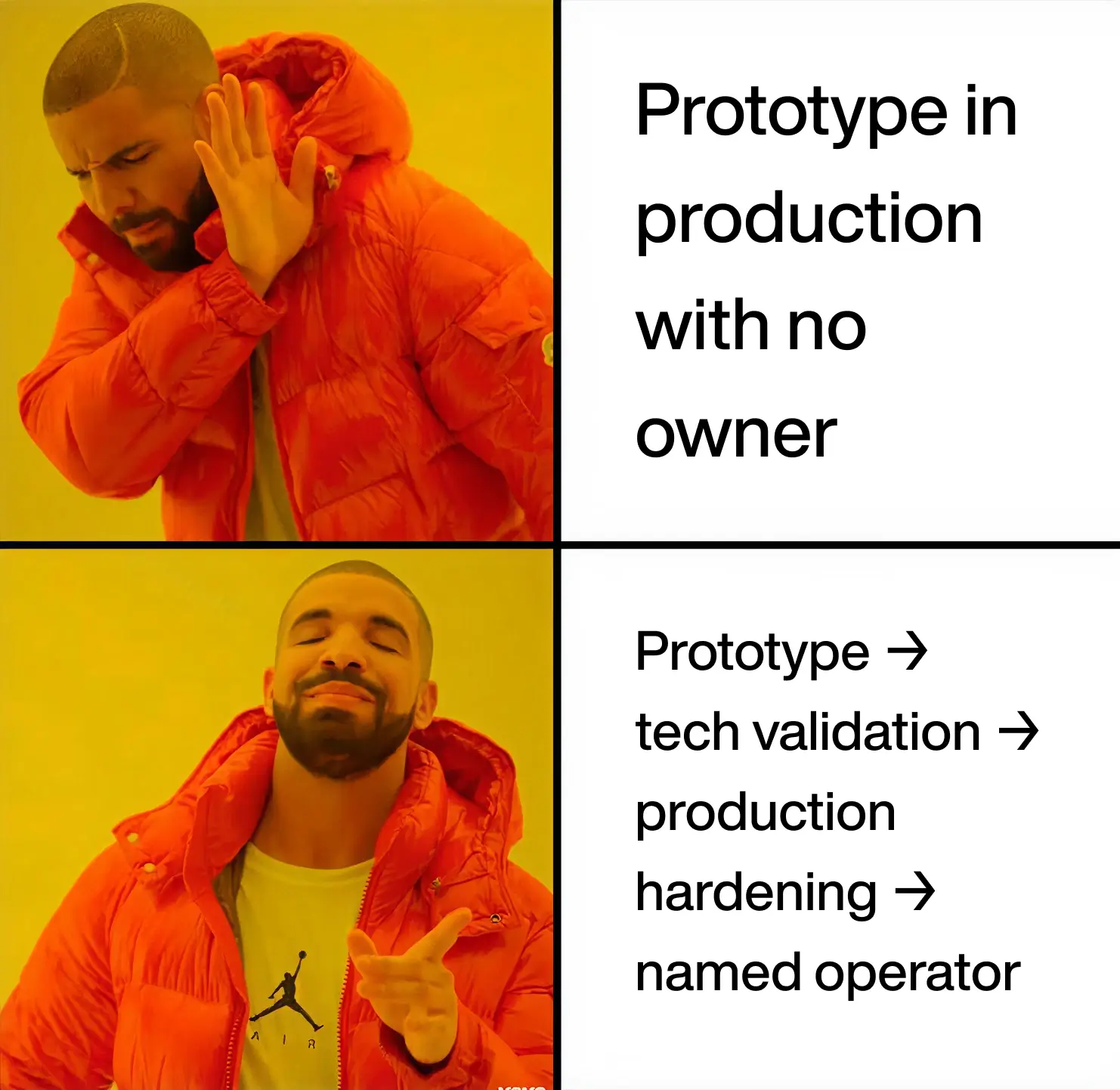
- Prototype: prove that users understand and value the workflow.
- Technical validation: test integrations, data boundaries, code quality, and platform limits.
- Production hardening: add identity, permissions, tests, monitoring, backup, and release controls.
- Operation: assign ownership, track incidents and cost, update dependencies, and review access.
If stages two and three are larger than the prototype, the project isn’t failing. The team has reached the point where software ownership becomes visible.
How many engineers do you need, and what skills are required?
Team size follows risk and integration depth, so a universal engineer count is misleading. Every production internal tool needs named owners for product choices, app behavior, security, data, release, and support. One person may cover several roles for a small utility. Higher-risk systems need an independent review.
The capability map matters more than a headcount:
- Product owner: defines the workflow, users, exceptions, and success measure.
- Application engineer: reviews generated code, architecture, tests, and maintainability.
- Platform or cloud owner: controls environments, deployment, secrets, logs, and rollback.
- Security reviewer: assesses data exposure, permissions, dependencies, and threat paths.
- Domain reviewer: validates business rules, edge cases, and regulated decisions.
- UX owner: checks accessibility and whether the interface supports real work rather than the happy path.
A platform can reduce implementation effort. It cannot assign accountability when these decisions conflict.
How can non-technical teams use these platforms?
Non-technical teams can use prompt-led builders to clarify requirements, create bounded utilities, and iterate on interfaces. Production access should still follow IT rules for identity, data, integrations, and release. The useful boundary is “business users shape the workflow; accountable owners approve the system,” rather than unrestricted app creation.
Templates and approved connectors can make this model practical. Give teams a safe development workspace, sample data, reusable authentication, and a path for technical review. That reduces shadow IT without forcing every workflow idea into the central engineering backlog.
For higher-risk use cases, business users should remain subject-matter owners rather than production administrators. A finance lead can define approval logic. Security and engineering still decide how credentials, audit history, and deployment work.
What makes a vibe coding platform enterprise-ready?
An enterprise-ready vibe coding platform supports controlled identity, data access, code review, deployment, audit logs, and ongoing operation. A polished generator is only one part. Your organization also needs proof that generated apps can enter existing security and release controls without shared credentials or unreviewed production changes.
| Gate | Evidence required before production |
|---|---|
| Identity | SSO or approved identity integration; automated provisioning and offboarding |
| Authorization | Documented roles, least privilege, and tested access boundaries |
| Secrets | Managed secret storage; no credentials copied into prompts or source files |
| Data | Approved data classification, retention, residency, and model-use policy |
| Code | Inspectable changes, dependency review, tests, and a named maintainer |
| Deployment | Separate environments, approval gates, rollback, and change history |
| Audit | Logs for user actions, administrative changes, and releases |
| Operations | Monitoring, incident owner, backup/recovery plan, and cost tracking |
| Exit | Code and data export path with known migration constraints |
Use Teamvoy’s guide to vibe coding security risks for a deeper threat review. An AI readiness assessment can also expose missing ownership, data, and governance controls before teams connect builders to production systems.
How should you measure success and adoption?
Measure whether the platform creates lasting business value, not how many prototypes it generates. Useful metrics combine use, workflow outcomes, quality, risk, and ownership cost over a set window. A high app count can show output. It can also show duplicate tools and more maintenance work.
| Metric | Measurement window | Decision it informs |
|---|---|---|
| Active users by role | Monthly | Whether the intended team relies on the tool |
| Workflow cycle time | Before launch vs. monthly after launch | Whether the process became faster |
| Manual handoffs or corrections | Monthly | Whether automation removed work or moved it elsewhere |
| Defects and failed runs | Per release and monthly | Whether generated changes remain reliable |
| Security and access exceptions | Monthly or quarterly | Whether governance keeps pace with adoption |
| Maintenance hours | Monthly | Whether the platform reduces or relocates engineering effort |
| Vendor and infrastructure cost | Monthly and quarterly | Whether the operating model remains economical |
| Retired apps and duplicate workflows | Quarterly | Whether the portfolio stays manageable |
Connect each metric to a decision. If no one will change funding, ownership, scope, or controls based on a number, it is probably a dashboard decoration rather than a management metric.
What do successful internal AI platform rollouts look like?
A successful rollout starts with one bounded workflow, a named owner, controlled data, and an agreed review path. The team expands only after the pilot has proof that users return, access works, changes can be reviewed, and someone can support the app. The controls grow with use.
A practical rollout sequence is:
- Select a workflow with a clear owner and manageable data risk.
- Define the before-state, users, exceptions, and success measure.
- Build with representative test data rather than production credentials.
- Review architecture, permissions, dependencies, and generated code.
- Release to a limited group with logging and a rollback path.
- Measure workflow outcomes and maintenance effort.
- Expand, rebuild, or retire the tool based on evidence.
Teams that need an owned engineering path can connect the pilot to a formal AI development workflow or use proof-of-concept services to resolve architecture and production-readiness questions before scaling. if you choose another supplier for implementation. Teamvoy isn’t the right fit for every hiring need. A narrow maintenance task may suit a freelancer. A lasting core skill may justify a direct hire. A partner makes more sense when one problem spans AI, old systems, data, links, security, and production.
Conclusion
The best internal vibe coding platforms shorten the path from workflow idea to working software, but they distribute ownership differently. Buy the standard process, build the differentiated system, and use hybrid boundaries when you need both speed and control. Teamvoy’s AI integration services can help assess that boundary and turn a promising prototype into an application your organization can operate.