
Most agencies shopping for a CRM for insurance agents are shopping for two systems and don’t know it yet. The CRM handles the relationship — leads, pipeline, follow-up, who called whom and when. The agency management system handles the policy: coverage, effective dates, carrier downloads over IVANS, commissions, ACORD forms. They overlap just enough in a demo to look like alternatives, and behave nothing like alternatives in production.
I build the second kind of system, which is why the failure I see most often starts out as a saving. An agency buys a CRM to replace its management system. Around month five a mid-term endorsement arrives and has nowhere to live. The old system stays. Now they’re paying twice for data that got split by accident instead of on purpose.
The table compares the eight platforms US agencies actually shortlist. Read the last column first — the one naming who each tool is wrong for. Vendor pages don’t publish that column, and it’s the only one that settles anything.
The 8 best CRMs for insurance agents in 2026 at a glance
| Tool | Best for | Key features | Strengths | Who it’s not for | Pricing (US, 2026) |
|---|---|---|---|---|---|
| HubSpot CRM | Agencies starting from spreadsheets | Contact and deal pipelines, email sequences, meeting scheduling, reporting | Free tier is genuinely usable; shortest learning curve on this list | Agencies needing policy-level records, carrier downloads or HIPAA coverage | Free tier; paid tiers from ~$20/seat/mo |
| Salesforce Financial Services Cloud | Carriers, MGAs and agencies over ~50 seats | Policy and claim objects, custom workflows, Einstein scoring, deep API | Models almost any insurance workflow; largest integration ecosystem | Small agencies without an admin or implementation partner | Enterprise tiers; typically $150–$300/seat/mo |
| Creatio | Agencies that want to change workflows without developers | No-code process designer, claims and underwriting modules, document management | Workflow changes ship in days rather than sprints | Teams wanting to buy and use it unchanged on day one | Composable pricing by module and user |
| Zoho CRM | Cost-sensitive agencies with multichannel outreach | Lead management, email/phone/chat/social, Zia AI assistant, workflow rules | Lowest cost per seat for the capability on this list | Agencies needing insurance-specific objects out of the box | Free for up to 3 users; paid from ~$14/seat/mo |
| Agent CRM | Small and mid-sized agencies wanting insurance defaults | Pre-built insurance campaigns, renewal and cross-sell reminders, dialer, scheduling | Built for the workflow, so less configuration up front | Agencies needing an open API or an enterprise security review | 14-day trial, then monthly plans |
| Pipedrive | Producer-led sales teams | Visual pipeline, activity automation, call and email tracking, reporting | Clearest pipeline model; producers actually update it | Service-heavy books where renewals matter more than new business | Tiered plans from ~$24/seat/mo |
| Insly | Small brokers wanting quoting and billing in one place | Quotes, policies, billing, claims tracking, document storage | Covers broker admin work a general CRM leaves out | Agencies wanting advanced AI or a large app ecosystem | From $59/mo (vendor-published) |
| AgencyBloc | Health, Medicare and life agencies | Contact and policy tracking, commission processing, HIPAA-aware workflows | Commission accuracy and health-line fit are best on this list | Property and casualty agencies | Tiered plans; free trial |
Key takeaways
A CRM for insurance agents is the system that holds prospects, policyholders, communication history and renewal timing in one place, so an agency stops running on individual memory. In 2026, the practical choice for most US agencies is not a single product but a pair: a CRM for the relationship and the pipeline, and an agency management system for the policy record, carrier downloads, and commissions. HubSpot, Salesforce Financial Services Cloud, Creatio, Zoho, Agent CRM, Pipedrive, Insly and AgencyBloc cover most of the insurance CRM software market, and they differ far more on integration and compliance than on features.
- A CRM manages the relationship and the pipeline; an agency management system owns the policy record.
- Health, Medicare and life agencies need HIPAA-aware platforms, which narrows the list sharply.
- Integration with carrier downloads, raters and e-signature decides day-to-day usefulness more than features.
- Pricing runs from a free tier to roughly $150 per seat per month, before migration and training costs.
- Custom builds pay off for MGAs, programs and multi-state rating logic — rarely for standard personal lines.
Insurance CRM vs agency management system: what’s the difference?
A CRM manages the relationship — leads, pipeline, communication, follow-up and renewal timing. An insurance agency management system is the system of record for the policy itself: coverage, effective dates, carrier downloads, commissions, certificates, and ACORD forms. Most US independent agencies end up running both, because a CRM cannot reconcile a carrier download, and an agency management system was never designed to run a marketing sequence.
Picture the demo that causes this. A vendor rep shares their screen, drags a card across a pipeline, and shows a renewal reminder firing on schedule. Everything in the room nods. Nobody asks what happens when the carrier sends down an endorsement that changes the premium, because that question doesn’t occur to you until the first time it happens and the CRM has no idea the policy changed.
This is the single most common source of wasted spend in agency technology. Agencies buy a CRM expecting it to replace their management system, discover six months in that it has no concept of a policy transaction, and end up paying for two systems anyway — but with the data split badly instead of split deliberately.
| Capability | CRM | Agency management system | Which one you need |
|---|---|---|---|
| Prospect and lead pipeline | Yes | Limited | CRM |
| Marketing sequences and campaigns | Yes | Rarely | CRM |
| Policy system of record | No | Yes | AMS |
| Carrier downloads (IVANS, AL3) | No | Yes | AMS |
| Commission tracking and reconciliation | No | Yes | AMS |
| ACORD forms and certificates | No | Yes | AMS |
| Comparative rating | No | Often integrated | AMS |
| Renewal task management | Yes | Yes | Either — pick one and stop duplicating |
| E&O documentation trail | Partial | Yes | AMS, with the CRM feeding it |
The insurance agency management system platforms US agencies actually shop for are Applied Epic, EZLynx, Vertafore AMS360, HawkSoft, NowCerts and AgencyBloc. Several of these now include CRM-style pipeline features, which is why the two categories blur in vendor marketing even though they remain distinct in practice.
The honest exception. A captive agent selling one carrier’s products through that carrier’s own system usually does not need an agency management system at all. The carrier is already the system of record. A CRM alone is the right answer, and adding an AMS is overhead with no offsetting benefit. The same is often true of a small life or Medicare agency writing through a single upline.
If you already run Applied Epic or AMS360, the question isn’t whether to add a CRM, but whether your producers will use two systems. In practice, they use one. Decide which system owns the daily workflow before you buy, not after.
Why every insurance agent needs a CRM in 2026
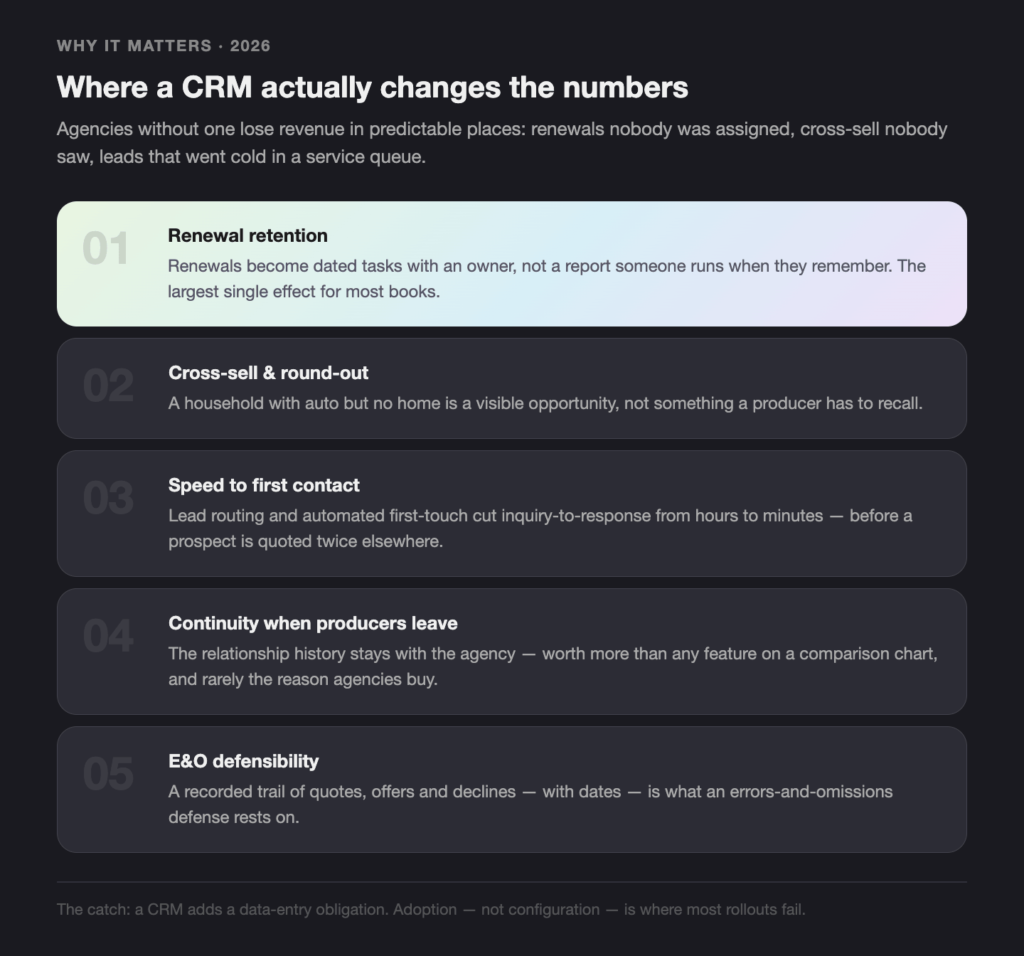
Agencies without a CRM lose revenue in three predictable places: renewals nobody was assigned, cross-sell opportunities nobody saw, and leads that went cold while a producer was in a service queue. A CRM does not fix those by being clever. It fixes them by making the next action visible and owned, which is a process problem that happens to be solved with software.
The pressure has increased for a plain reason: buyers now expect a response in hours. A prospect who requests a quote at 9pm and hears back at 4pm the next day has usually already been quoted twice. An agency running on a shared inbox cannot reliably beat that, and an agency running on assigned, timed tasks can.
The measurable places a CRM changes the numbers:
- Renewal retention. Renewals become dated tasks with an owner instead of a report someone runs when they remember. This is the largest single effect for most books.
- Cross-sell and round-out. A household record showing auto but no home is a visible opportunity rather than something a producer has to recall.
- Speed to first contact. Lead routing and automated first-touch cut the gap between inquiry and response from hours to minutes.
- Continuity when producers leave. The relationship history stays with the agency. This is worth more than any feature on a comparison chart and is almost never the reason agencies buy.
- Defensibility. A recorded trail of quotes, offers, and declines is what an E&O defense rests on.
There’s a trade-off worth naming. A CRM adds a data-entry obligation to producers who were previously free of one, and adoption is where most implementations fail — not configuration. Agencies that treat rollout as a training and management problem get the retention benefit; agencies that treat it as a software purchase usually pay for a system their producers route around.
How we evaluated the best CRM for insurance agents
This evaluation applies a fixed set of criteria to public vendor documentation, published pricing pages and the current US search results for insurance CRM terms, reviewed on 2026-08-18. It is a documentation and market review, not a hands-on benchmark of each platform inside a live agency, and it should be read that way. Where a claim comes from a vendor about itself, it is labelled as vendor-reported.
The criteria, in the order they usually decide the outcome:
- Insurance data model. Does it understand households, multiple policies per client, renewal dates and policy status — or does it call everything a “deal”?
- Integration reach. Does it connect to the agency management system, the comparative rater, e-signature, the dialer and accounting, natively or through documented APIs?
- Compliance posture. SOC 2 Type II, HIPAA support where health or Medicare lines are written, data residency, retention and deletion controls, and consent records for automated outreach.
- Automation depth. Renewal sequences, lead routing, task assignment, and whether rules can be changed by an operations lead or require a developer.
- AI capability that changes a decision. Lead scoring, next-best-action, call summarization — judged on whether the output changes what a producer does, not on whether the feature exists.
- Adoption cost. Time to first useful value, training burden, and how much the system asks producers to type.
- Total cost. Licence, implementation, migration and the internal hours the business case usually omits.
- Support and continuity. Response channels, documentation quality and the size of the partner ecosystem you can hire from if the vendor is not enough.
What was deliberately excluded: carrier-side core systems such as Guidewire, Duck Creek and Sapiens, which are policy administration platforms rather than agency CRMs, and general-purpose project tools sometimes marketed as CRMs without a contact data model behind them.
What features should an insurance agent CRM have?
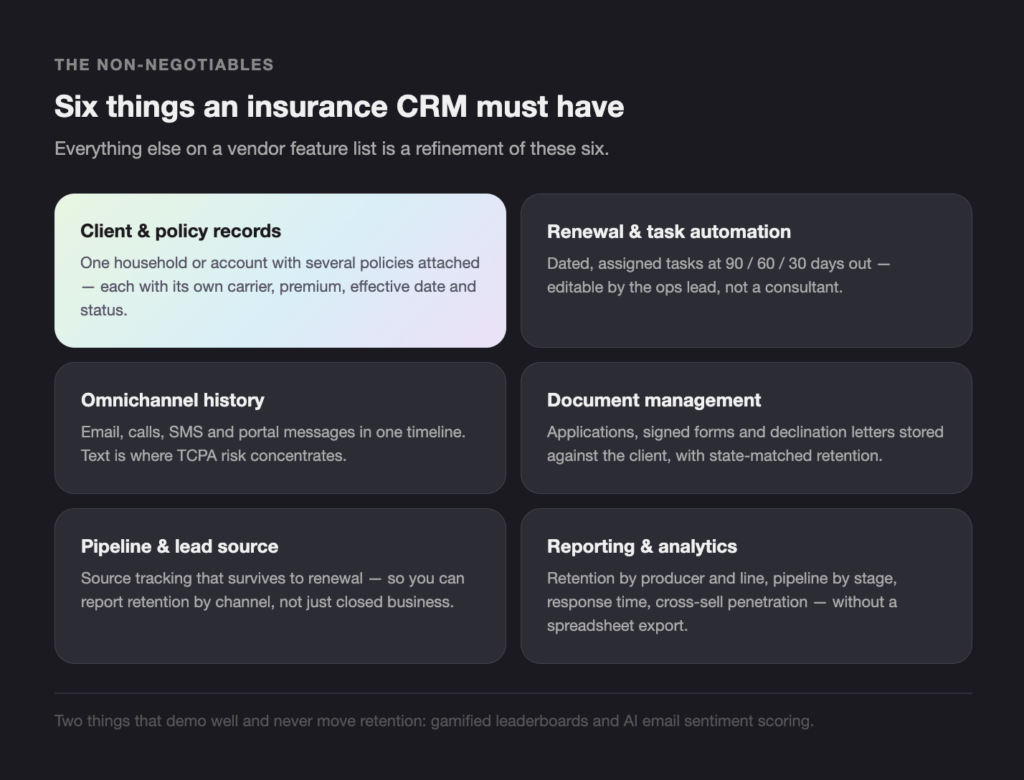
An insurance agent CRM needs six things: a client record that holds multiple policies, renewal dates as scheduled tasks with an owner, communication history across email, phone and text in one timeline, document storage tied to the client rather than a folder, automation for follow-up and renewal sequences, and reporting that shows retention and pipeline by producer. Everything else on a vendor feature list is a refinement of those six.
Insurance CRM software is judged on these six, in roughly this order.
Client and policy records. The record has to model a household or a commercial account with several policies attached, each with its own carrier, premium, effective date and status. Test this in the demo by asking to see one client with four policies from three carriers. It is a fast way to find out whether the platform was built for insurance or configured for it afterwards.
Renewal and task automation. Renewals should generate dated, assigned tasks — 90, 60 and 30 days out is a common pattern — rather than appearing on a report. The question to ask is whether the rules can be edited by the operations lead or need a consultant.
Omnichannel communication history. Email, calls, SMS and portal messages in one timeline against the client record. Text is where the compliance risk concentrates, because automated SMS outreach sits under TCPA rules and the consent record has to be retrievable.
Document management. Applications, signed forms, declination letters and certificates stored against the client, with retention rules that match your state’s requirements. See the compliance section below.
Pipeline and lead management. Source tracking that survives to renewal, so you can tell which lead channels produce business that stays. Most agencies can report on closed business by source; far fewer can report on retention by source, which is the number that decides marketing spend.
Reporting and analytics. Retention by producer and by line, pipeline by stage, response time on new leads, and cross-sell penetration per household. If the platform cannot produce those four without an export to a spreadsheet, it will not change how the agency is run.
Two things frequently sold as features that rarely change outcomes: gamified leaderboards, and AI sentiment scoring on emails. Both demo well. Neither shows up in retention numbers.ore committing budget.
How do AI and automation change insurance CRM in 2026?
AI in an insurance CRM does four jobs that hold up in practice: scoring leads so producers work the ones most likely to bind, summarizing calls and emails into the client record so notes stop being optional, drafting renewal and cross-sell outreach that a producer edits rather than writes, and flagging accounts whose behaviour suggests they are shopping. The pattern that works is a model that drafts and a human who signs — the reverse fails at the first regulated interaction.
Lead scoring and prioritization. Models trained on which quotes historically bound rank inbound leads so a producer works the top of the list first. The useful version tells you why a lead scored highly — line of business, source, prior policy count — because a score without a reason gets ignored after two weeks.
Call and email summarization. The largest practical time saving on this list, because it removes the data-entry tax that kills CRM adoption. A producer finishes a call and the summary is already in the record. Verify one thing before buying: whether call audio and transcripts leave your environment, and where they are stored.
Renewal and cross-sell drafting. The system proposes the outreach; the producer approves or edits it. Fully automated outbound on regulated products is where agencies get into trouble, and the consent and content rules around SMS and dialers do not relax because a model wrote the message.
Retention risk flags. Signals like a claim closed unfavourably, a large premium increase at renewal or a sudden drop in engagement can surface an account before it leaves. This is the highest-value AI feature in an insurance CRM and the least mature across the platforms reviewed.
Where the same techniques go further is behind the front office — claims triage, underwriting support and fraud detection — which is a different architecture problem with different regulatory constraints. We cover that separately in our guide to agentic AI in insurance back-office workflows and in our write-up of insurance claims processing automation.
The trade-off: every AI feature that touches client communication adds a record-keeping obligation. If a model drafted the message, you need to be able to show what was sent, to whom and on what consent basis. Agencies that turn on automated outreach before the consent records are clean create work for themselves at the next audit.
The 8 best CRM tools for insurance agents in 2026
The eight platforms below cover the range most US agencies choose between: two general CRMs with strong free or low-cost entry points, one enterprise platform, one no-code workflow platform, and four with insurance-specific data models. Each entry states who it suits, what it does, what it costs and — the part vendor pages omit — who should not buy it.
1. HubSpot CRM
Who it’s not for: agencies that need policy-level records, carrier downloads, commission tracking or HIPAA coverage. HubSpot is a strong general CRM used by insurance agencies, not an insurance system, and the gap shows the moment you need to reconcile a download.p 10 AI readiness assessment tools for 2026, comparing their pillars, cloud integration and what makes each one a fit for a specific kind of buyer — from a startup running its first free check to an enterprise that needs a codebase-level review before an AI feature ships.
Best for: agencies moving off spreadsheets that want something running this week.
Key features: contact and company records, deal pipelines, email sequences, meeting scheduling, shared inbox, reporting dashboards (HubSpot).
AI and automation: automated follow-up sequences, email drafting, meeting notes, task creation from email.
Pricing: free tier with unlimited contacts; paid tiers add automation and reporting depth.
Support: the largest documentation and training library on this list, plus a wide partner network.
2. Salesforce Financial Services Cloud
Who it’s not for: a 10-person agency with no admin. The flexibility that makes Salesforce right for an MGA is the same thing that leaves a small agency with a half-configured system and a consulting bill.
Best for: carriers, MGAs and agencies above roughly 50 seats with an admin or an implementation partner.
Key features: insurance-specific objects for policies, claims and households, custom workflow and approval logic, Einstein lead scoring, an API surface that will integrate with anything (Salesforce).
AI and automation: predictive scoring, next-best-action, generative drafting inside the record.
Pricing: enterprise tiers, typically the highest total cost here once implementation is counted.
Support: premier support plus the largest consultant ecosystem in the category.
3. Creatio
Who it’s not for: teams that want to buy a product and use it as shipped. Creatio’s value is in configuring it, and an agency without someone to own that gets a generic CRM at a premium price.
Best for: agencies whose workflows are the differentiator and change more than once a year.
Key features: no-code process designer, modules for claims, underwriting and compliance, document management, case routing (Creatio).
AI and automation: automated case routing, workflow execution, communication triggers.
Pricing: composable, by module and user count — get a written quote for your actual configuration.
Support: detailed help center and an active partner community.
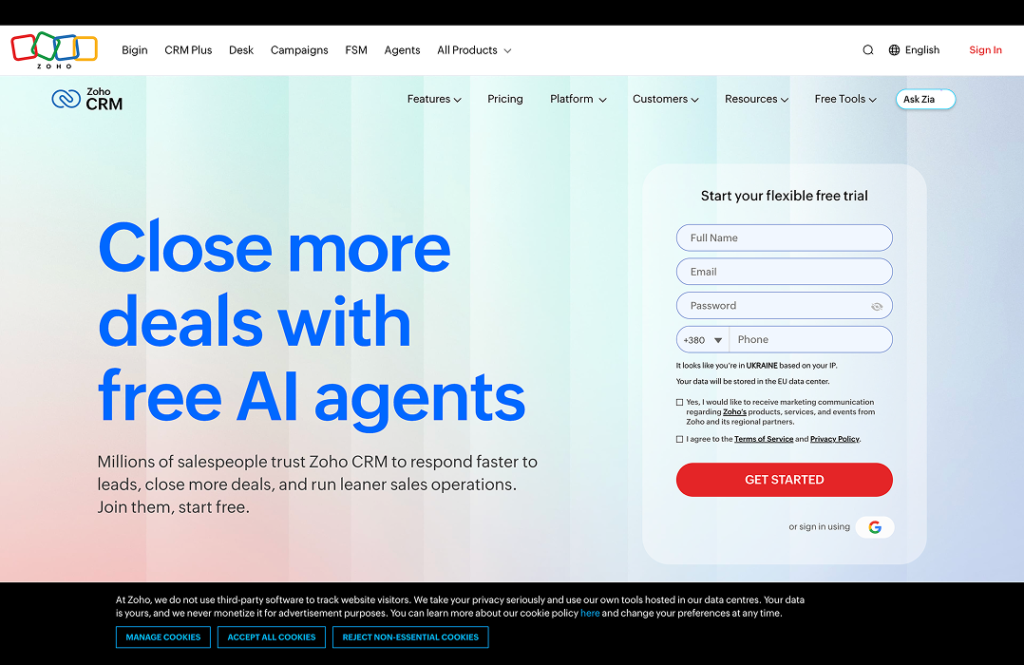
4. Zoho CRM
Who it’s not for: agencies wanting insurance objects out of the box. Zoho will model policies and renewals, but you are building that, and the build is yours to maintain.
Best for: cost-sensitive agencies running multichannel outreach.
Key features: lead and contact management, email, phone, chat and social in one timeline, workflow rules, Zia AI assistant, a large suite of adjacent Zoho apps.
AI and automation: predictive lead scoring, automated follow-up, anomaly alerts on pipeline.
Pricing: free for up to three users; paid tiers among the lowest per-seat costs in the category.
Support: responsive, with extensive self-serve training material.
5. Agent CRM
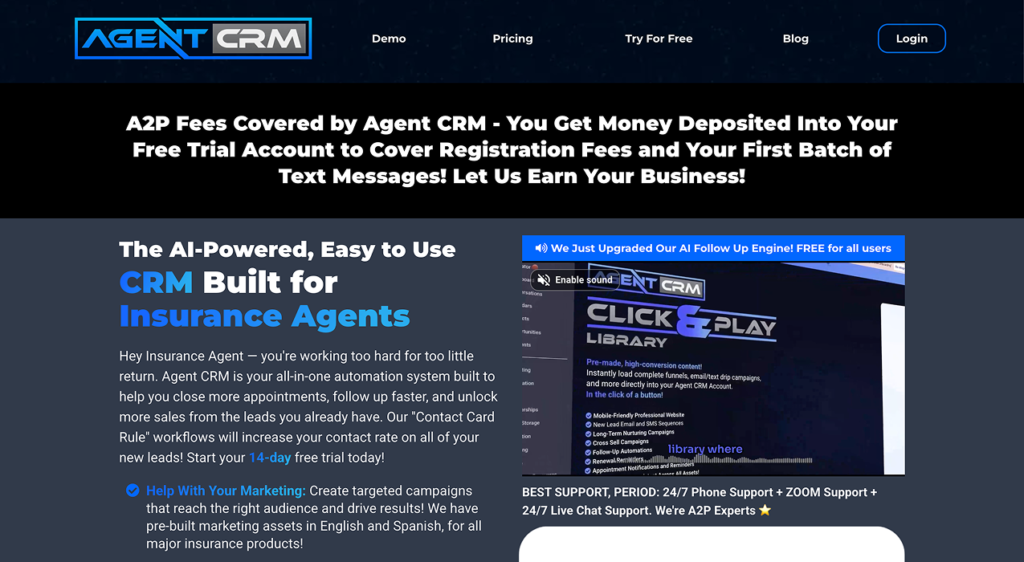
Who it’s not for: agencies that need an open API, a formal security review or enterprise procurement. The vendor reports serving over 1,000 agencies since 2020; that is a mid-market footprint, not an enterprise one.
Best for: small and mid-sized agencies that want insurance defaults rather than a configuration project.
Key features: pre-built insurance marketing campaigns, renewal and cross-sell reminders, appointment scheduling, dialer and SMS (Agent CRM).
AI and automation: campaign automation and contact-rate optimization built around agent workflows.
Pricing: 14-day trial, then monthly plans.
Support: phone, video and live chat, with availability outside business hours (vendor-reported).
6. Pipedrive
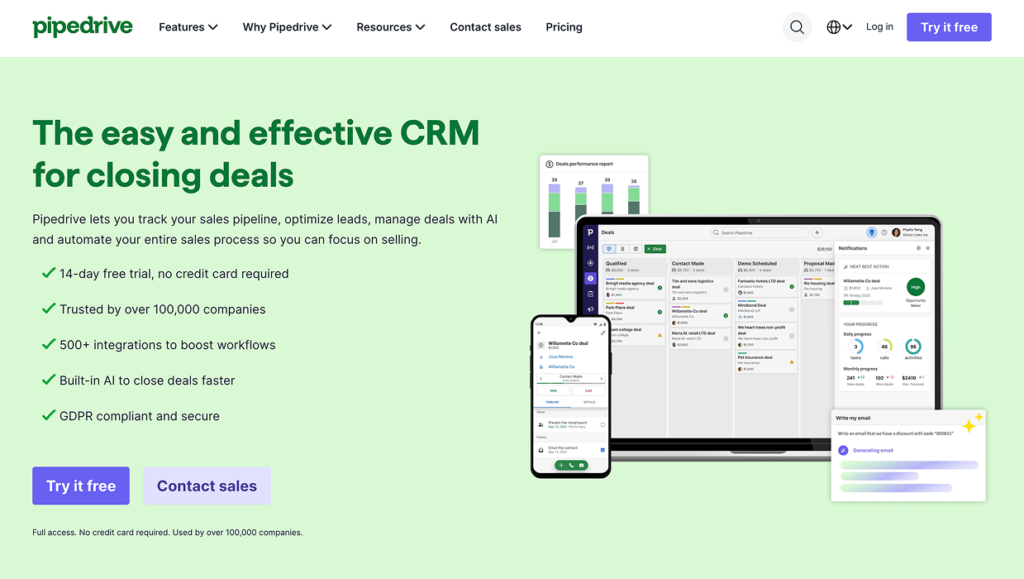
Best for: producer-led teams where new business, not service, is the constraint.
Key features: visual pipeline, activity automation, call and email tracking, granular reporting (Pipedrive).
AI and automation: sales assistant suggestions, automated task creation, real-time dashboards.
Pricing: competitive tiered plans with a clear published price list.
Support: global support and a large template library; the vendor reports over 100,000 customers across all industries.
Who it’s not for: service-heavy books. Pipedrive is built around a deal that closes and moves off the board, and an insurance relationship never does — it renews.
7. Insly
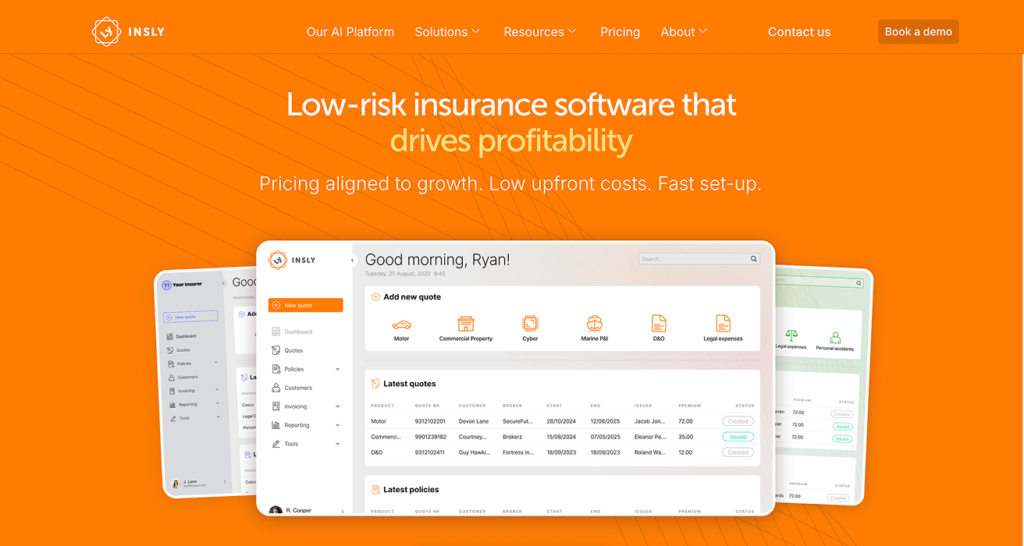
Who it’s not for: agencies expecting advanced AI or a large third-party app ecosystem. Insly is broker admin software with CRM features, and it is priced accordingly.
Best for: small brokers who want quoting, billing and policy admin in one place.
Key features: estimates and quotes, policy issuance, billing, claims tracking, document management.
AI and automation: automated renewals and reminders; light compared with the rest of this list.
Pricing: from $59 per month after a free trial (vendor-published — confirm current tiers directly).
Support: structured onboarding and clear documentation.
8. AgencyBloc
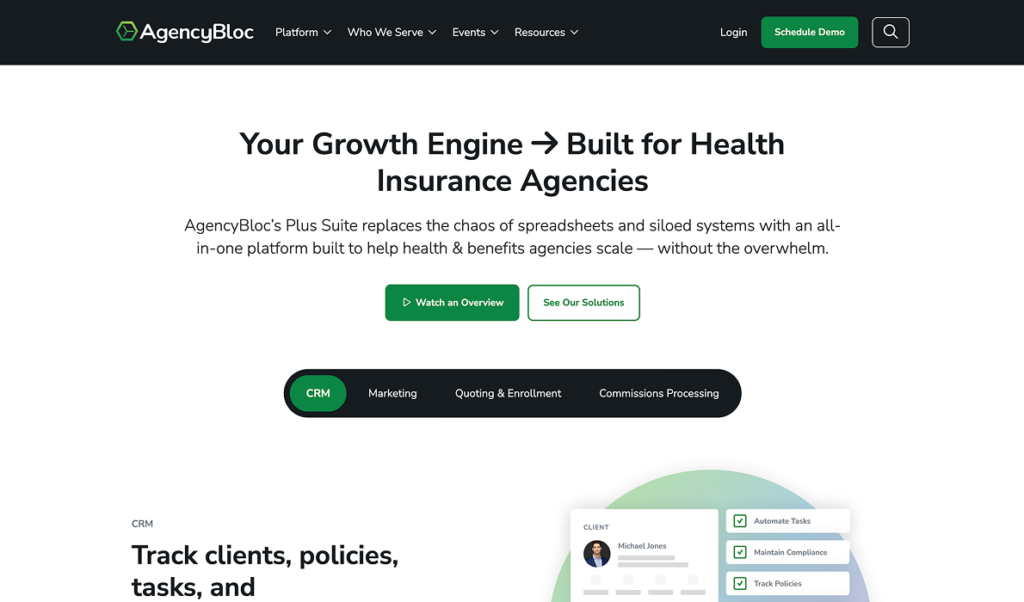
Who it’s not for: property and casualty agencies. AgencyBloc’s strength is the benefits side, and P&C agencies will find the carrier download and rating story thinner than on a P&C-first platform. If you’re searching specifically for a CRM for Medicare agents, this is the shortlist of one to start from.
Best for: health, Medicare and life agencies.
Key features: contact and policy tracking, commission processing and reconciliation, workflow automation, HIPAA-aware handling of health data (AgencyBloc).
AI and automation: automated renewal and retention workflows, commission calculation.
Pricing: tiered plans with a free trial.
Honorable mentions: the agency management systems
Several platforms US agencies shop for in the same evaluation are management systems first, with CRM features attached. They belong in the comparison even though they are answering a slightly different question.
- Applied Epic — the most widely deployed system in larger independent agencies. Deep carrier connectivity and accounting; a substantial implementation.
- EZLynx — management system plus comparative rating in one product, which is why it appears in most personal-lines evaluations in the US.
- Vertafore AMS360 — established mid-market and enterprise system with a broad integration ecosystem.
- HawkSoft — favoured by small and mid-sized P&C agencies for usability and support.
- NowCerts — cloud-native, lower-cost, strong on certificates and automation for smaller books.
If your agency is choosing between a CRM and one of these, re-read the comparison table above. In most cases the answer is that you need one of each, and the real decision is which one your producers open first in the morning.
What do insurance agents actually recommend to each other?
Agents in community forums recommend a noticeably different set of tools than vendor listicles do, and they weight the decision differently: onboarding time, support responsiveness and whether the system survives contact with a real book come up more often than feature counts. The names that surface in peer discussion but rarely in comparison articles include AgencyZoom, Better Agency, Radiusbob, InsuredMine, CoveCRM, Act! and Maximizer — most of them insurance-first, most of them priced below the enterprise tier.
The evidence that this matters is in the search results themselves. A single r/CRM discussion thread titled “CRM for Insurance Agents?” holds position one in the US for crm for insurance agents, crm for insurance, crm software for insurance agents, crm for insurance brokers, crm for life insurance agents, best crm for independent insurance agents and roughly ten more commercial variants, and position two for insurance crm at 3,000 searches a month (Ahrefs, US, August 2026). It outranks HubSpot, Salesforce, Zoho and every dedicated listicle in the category. Google’s discussion-forum SERP feature appears on around twenty keywords in this cluster.
That result is worth reading as a signal rather than an oddity. On a purchase that reshapes how every producer works, buyers discount vendor claims and go looking for someone who has already lived through the migration. Three things follow for anyone shortlisting:
- Search the platform name plus “migration” or “leaving”, not just the name. The useful posts are written by people on their way out, and they name the specific thing that broke.
- Weight recency heavily. Insurance CRM feature sets and pricing tiers moved substantially between 2024 and 2026; a three-year-old thread may be describing a product that no longer exists.
- Separate the complaint from the cause. A large share of “this CRM is terrible” posts describe a failed migration or an unconfigured workflow rather than a bad product, which is a fixable problem and a different one.
Peer sources are also where the honest limitations live, which is why every entry in the list above carries a line about who should not buy it. A comparison where every option wins is not a comparison.
How much does a CRM for insurance agents cost?
A CRM for insurance agents costs between $0 and roughly $150 per user per month in the US in 2026. Free tiers from HubSpot and Zoho cover a small agency’s contact management. General CRMs with automation land around $20–$50 per seat. Insurance-specific platforms typically run $50–$100 per seat, and Salesforce Financial Services Cloud sits above that. Licence is usually half the first-year cost; migration, integration and training make up the rest.
The number on the pricing page is the number you’ll quote to your partners. It is not the number you’ll spend. Agencies routinely sign a $50-a-seat contract in January and discover in March that the migration quote, the rater integration and forty hours of somebody’s time have turned it into a five-figure project. Price the whole thing up front and the decision gets easier, not harder.
| Tier | Monthly cost | What you get | Typical fit |
|---|---|---|---|
| Free | $0 | Contacts, basic pipeline, limited automation, user caps | Solo agents and agencies under 3 users |
| Entry | $14–$30/seat | Automation rules, email sequences, reporting | Agencies up to ~10 producers |
| Insurance CRM software | $50–$100/seat | Policy records, renewal workflows, commission or compliance features | Most independent agencies |
| Enterprise | $150–$300/seat | Custom objects, advanced AI, full API, dedicated support | Carriers, MGAs, agencies above ~50 seats |
What free actually means. Free tiers stop at automation depth, user count and support. HubSpot’s free tier holds contacts without limit but restricts sequences and reporting; Zoho’s free tier caps at three users. Both are real options for a small agency and both create a migration project the day the agency grows past them — which is worth pricing at the start rather than discovering later.
The costs that get left out of the business case. Data migration from spreadsheets, a legacy system or a prior CRM is the largest of them: budget $3,000–$25,000 depending on how many systems and how dirty the data is. Integration work to connect a rater, a dialer or an accounting system adds to it. Configuration and training take 20–60 internal hours before the system is genuinely in use. And there is the productivity dip during rollout, which is real and temporary and worth planning for rather than denying.
A useful rule for a first-year budget: take the annual licence and double it. Agencies that budget only the licence line are the ones that stall an implementation halfway through because the migration quote arrived after the contract was signed.
What compliance requirements apply to an insurance CRM in the US?
A US insurance CRM sits inside four overlapping obligations: state data-security rules based on the NAIC Insurance Data Security Model Law, state record-retention requirements set by each Department of Insurance, HIPAA where the agency touches health or Medicare lines, and TCPA and its state analogues wherever the CRM automates calls or SMS. SOC 2 Type II is the practical procurement question that covers most of the vendor side.
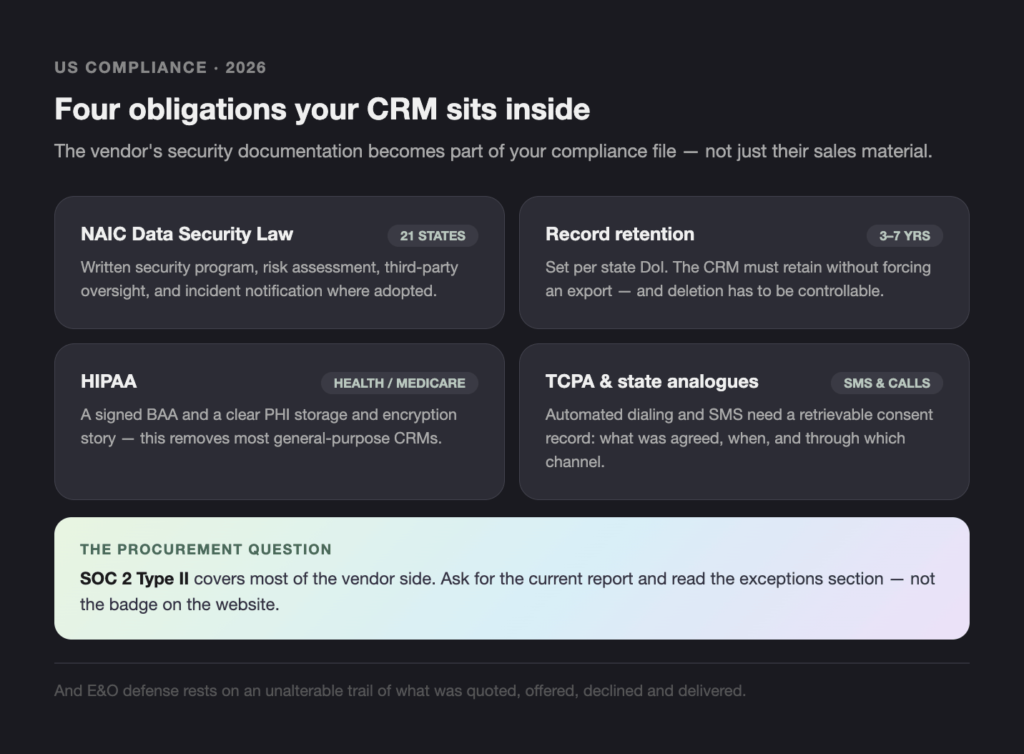
NAIC Insurance Data Security Model Law. Adopted State By State Rather Than Federally — 21 States Have Adopted It As Of The NAIC’s Current Count — So The Obligation Depends On Your Resident State And Every State You’re Licensed In. Where Adopted, It Requires A Written Information Security Program, Risk Assessment, Third-Party Service Provider Oversight And Incident Notification Within A Defined Window. Your CRM Vendor Is A Third-Party Service Provider Under That Rule, Which Makes Their Security Documentation Part Of Your Compliance File, Not Just Their Sales Material.
Record retention. Each state Department of Insurance sets how long agencies must keep policy and communication records — commonly three to seven years after the policy terminates. Two consequences for CRM selection: the platform must retain records for that long without forcing an export, and its deletion behaviour must be controllable. A CRM that silently purges old records on a data cap creates a problem you’ll find during an examination.
HIPAA. Any agency handling protected health information — health, Medicare, some life and disability lines — needs a vendor willing to sign a business associate agreement and to describe how PHI is stored, encrypted and accessed. This single requirement removes most general-purpose CRMs from consideration, and it is the reason health and Medicare agencies concentrate on platforms like AgencyBloc.
TCPA and automated outreach. Automated dialing, prerecorded messages and SMS campaigns run into TCPA and a growing set of stricter state laws. The CRM must store consent — what was agreed, when, and through what channel — in a form you can retrieve years later. If you’re turning on an SMS renewal sequence, that consent record is the thing that matters, not the sequence.
SOC 2 Type II. Ask for the current report, not the badge on the website. Read the exceptions section. Ask when the next audit period closes. A vendor that cannot produce a report under NDA within a week is telling you something about their posture.
E&O defensibility. Beyond regulation, the practical requirement is an unalterable trail of what was quoted, offered, declined and delivered, with dates. This is the reason the audit log matters more than the dashboard.
The trade-off worth stating plainly: configuring retention, consent and access controls properly slows a rollout by weeks. Agencies that skip it in month one pay for it at the next examination or the first claim. If your book includes regulated lines and you want the compliance layer designed rather than retrofitted, that is the kind of work our insurance technology consulting practice handles, and the same principles we apply to regulator-ready AI systems in fintech apply here.
What does an insurance CRM need to integrate with?
An insurance CRM needs to connect to five things to be useful day to day: the agency management system, the comparative rater, e-signature, phone and SMS, and accounting. Carrier data reaches the agency through IVANS and AL3 downloads into the management system rather than into the CRM directly, so the CRM’s real integration job is staying in sync with the AMS rather than talking to carriers itself.
| System | What it does | Native support among the eight |
|---|---|---|
| Agency management system | Policy record, downloads, commissions | AgencyBloc and Insly are the AMS in their own right; the rest need middleware or an API build |
| Comparative rater (EZLynx Rating, PL Rating, TurboRater) | Multi-carrier quoting | Rarely native; usually via the AMS |
| E-signature (DocuSign, Dropbox Sign) | Applications and forms | Native or app-marketplace on HubSpot, Salesforce, Zoho, Pipedrive |
| VoIP and dialer | Click-to-call, recording, SMS | Native on Agent CRM, Zoho, Pipedrive; app-based elsewhere |
| Accounting (QuickBooks, Xero) | Commission and trust accounting | Via AMS or middleware; rarely direct from a CRM |
| Email and calendar | Communication capture | Native everywhere; verify it captures both directions |
Two facts that vendor pages will not tell you. First, most general CRMs have no native path to carrier downloads, and any vendor claiming otherwise is describing an integration built by a partner, which you will be paying for and maintaining. Second, several carrier portals still have no public API, so some part of your workflow will remain manual regardless of platform — the honest question is which part, not whether.
Middleware and integration platforms close some of these gaps, and for agencies with an unusual combination of systems that is often cheaper than switching platforms. The point at which it stops being cheaper is covered in the next section.
When does a custom insurance CRM beat buying one?
Buying wins in most cases. For an independent agency under roughly 25 producers writing standard personal and small commercial lines, an off-the-shelf CRM plus an agency management system is the right answer, and a custom build is an expensive way to arrive at the same place two years later. Custom builds pay off in four specific situations, all of which share one feature: the standard policy object does not fit the business.
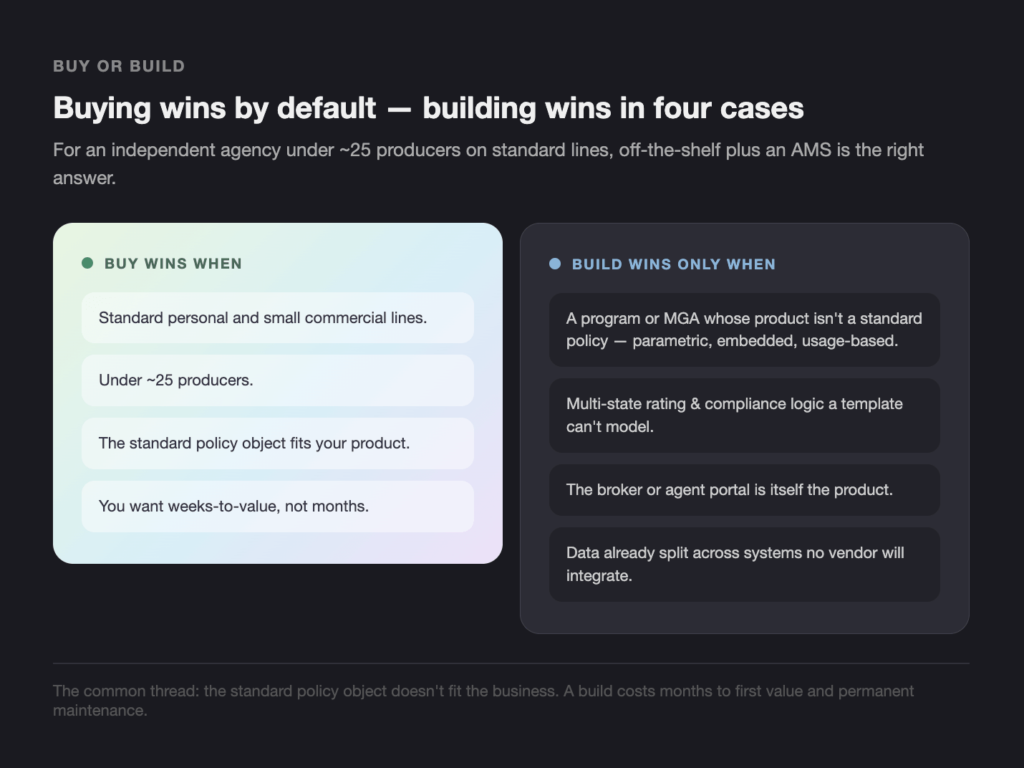
A program or MGA whose product isn’t a standard policy. Parametric covers, embedded insurance, usage- based products and specialty programs have data models no commercial CRM ships with. Configuring a platform to pretend otherwise costs more over five years than building the thing that fits.
Multi-state rating and compliance logic that a template can’t model. When your product varies by state in ways that touch eligibility, forms and rating simultaneously, configuration in a general CRM tends to produce a system only one person understands.
The broker or agent portal is the product. For a carrier or MGA whose distribution partners are the users, the portal is a customer-facing product with its own roadmap. That is a build, and it is the case where the difference between a configured CRM and an engineered system is most visible to the people using it.
Data already split across systems no vendor will integrate. Agencies that have grown by acquisition often hold three management systems, two CRMs and a decade of documents. The integration layer is the project; which CRM sits on top of it is secondary.
The honest trade-off runs against building. A custom system carries a longer time to first value — typically months rather than weeks — and an ongoing maintenance obligation that a SaaS licence absorbs for you. You own upgrades, security patching and the roadmap. That is worth it when the system is a differentiator and a poor trade when it is a commodity.
Where a build does make sense, the work is the same shape as the rest of our insurance software development practice: policy and client data models, carrier and rater integration, migration with record-level reconciliation, and broker or agent portals. We’ve written separately about AI-first product design for insurance for teams designing the product rather than selecting one.
How do you implement an insurance CRM without losing data?
Implementation fails on three things, in this order: data migration, producer adoption and integration. None of them is a software problem. A phased rollout with a clean data mapping, a named internal owner and a training plan gets a CRM into daily use in 60 to 90 days for most agencies; skipping any of the three extends that indefinitely.
The failure has a shape, and it’s always the same one. Month one is enthusiastic. Month two, two producers are still working out of the old system “just for now”. Month four, the agency is running both, reconciling neither, and someone suggests the new CRM was a mistake. The software was fine. The rollout skipped a step.
The 90-day rollout that works:
- Days 1–10 — audit and map. Inventory every place client data currently lives. Map source fields to target fields explicitly, and decide what will not be migrated. Most agencies carry years of records that should be archived rather than imported.
- Days 10–20 — clean before you move. Deduplicate households, standardize carrier and line-of-business names, and fix dates. Dirty data migrated is dirty data in a more expensive system.
- Days 20–30 — migrate a pilot slice. Move one producer’s book, reconcile record counts and premium totals against the source, and have that producer work in the new system for two weeks.
- Days 30–45 — configure workflows. Renewal cadence, lead routing, task ownership and required fields. Keep required fields to the minimum that makes reporting possible; every extra one costs adoption.
- Days 45–60 — integrate. Connect the management system, e-signature, phone and calendar. Test the sync in both directions before anyone depends on it.
- Days 60–75 — full migration and parallel running. Move the remaining book. Run both systems for two weeks and reconcile daily.
- Days 75–90 — train, then switch off the old system. Adoption only becomes real once the alternative is gone. Leaving the old system running “just in case” is the most reliable way to end up with two half-used systems.
On migration specifically. Reconcile at record level, not in aggregate — count policies, count clients, total premium, and match them source to target. Aggregate checks hide the errors that matter. Our insurance data migration work is built around exactly that reconciliation step, and the same discipline applies whether you’re moving to a commercial CRM or off a legacy platform, as in our guide to legacy platform migration.
On adoption. The single most effective intervention is removing a competing system, not adding training. The second is having the agency principal use it visibly. Neither is a software feature.
How do you choose the right CRM for your agency?
Choose on lines of business first, agency size second and features last. Health and Medicare agencies need HIPAA support, which decides the shortlist immediately. Property and casualty agencies need carrier downloads and rating, which points to a management system with CRM features. Everyone else is choosing on integration reach and adoption cost.
| Agency profile | Start with | Why |
|---|---|---|
| Solo or under 3 users, any line | HubSpot free or Zoho free | Real capability at no cost; migrate when you outgrow it |
| Independent P&C, 5–25 producers | An AMS (EZLynx, HawkSoft, NowCerts) plus a light CRM | Downloads and rating decide the day; the CRM handles pipeline |
| Health, Medicare or life agency — the usual CRM for Medicare agents question | AgencyBloc | HIPAA posture and commission accuracy |
| Producer-led sales team, low service load | Pipedrive or Agent CRM | Pipeline discipline and insurance defaults respectively |
| Agency above 50 seats, or an MGA | Salesforce Financial Services Cloud or Creatio | Custom objects and workflow depth justify the implementation |
| Program, MGA or portal-led distribution | Evaluate a custom build | The standard policy object doesn’t fit the product |
Four questions to put to every vendor before signing: Can you show me one client record with four policies from three carriers? What happens to my data if I leave, and in what format? Can I see your current SOC 2 Type II report? What does migration cost for our record count, in writing?
Conclusion
Choosing a CRM for insurance agents comes down to three decisions made in order: which lines you write, whether you need an agency management system alongside it, and whether your product fits a standard policy object at all. The eight platforms compared here cover most of the US market, and the differences that matter between them are integration reach and compliance posture rather than feature counts. Get the data migration and the adoption plan right and almost any of them will work; get those wrong and none of them will.
- Pick on lines of business first — HIPAA requirements decide the shortlist before features do.
- Assume you need both a CRM and a management system, and decide which one owns renewals.
- Budget migration and training at roughly the same amount as the first-year licence.
If your product doesn’t fit what’s on the shelf — a program, an MGA, multi-state rating logic, or a broker portal that’s the product itself — that’s a build, not a configuration. Talk to a Teamvoy CTO about what that would take.