
- Qwen 3.8 27B is a dense, multimodal model that can run on one GPU when you choose a suitable quantization and allocate a realistic context.
- A 16 GB card generally needs a lower-bit file or CPU offload; 24 GB gives Q4-class deployments more room. Start with 16K–32K context, lower the default reasoning effort, verify tool calling, and treat the 262,144-token model limit as a ceiling rather than a local default. Hosted inference is usually the better business choice for light or bursty usage.
A 27-billion-parameter model sounds too large for one workstation. Quantization changes that calculation, but the model file is only part of the memory bill. Your context, vision projector, runtime, and reasoning settings decide whether the setup works or spends its time moving layers between GPU and system memory.

What is Qwen 3.8 27B?
Qwen 3.8 27B is an Apache-2.0 dense language model with a vision encoder. Qwen released the 27-billion-parameter weights on August 14, 2026. The official card documents 64 layers, a hybrid Gated DeltaNet and Gated Attention architecture, and multi-token prediction training. It isn’t a mixture-of-experts model: all parameters participate in inference. (Qwen, August 2026; Qwen GitHub, August 14, 2026)
The model accepts text and images and has documented video-understanding support. For local GGUF use, vision depends on a separate mmproj projector file. The official LM Studio catalog also marks the model as vision-capable, trained for tool use, and able to reason. (LM Studio model catalog, updated August 17, 2026)
Qwen documents a native context limit of 262,144 tokens and extension to roughly one million tokens through YaRN on supported serving stacks. Those are model capabilities, not promises about your workstation. Local software allocates a context when it loads the model, and the KV cache grows with that choice. A retrieval architecture can also beat brute-force context on cost, latency, and source control; see Teamvoy’s guide to enterprise RAG architecture.
Can this 27B model run on one GPU?
One-GPU deployment is practical only when the weights, KV cache, runtime overhead, and any vision projector fit the memory plan. The repository file size gives you a hard starting point, not a complete VRAM requirement. Context length, GPU offload, Flash Attention, cache precision, and concurrent requests can move the real footprint by several gigabytes.
The table separates exact repository sizes from derived deployment guidance. File sizes come from the LM Studio community and Unsloth Hugging Face repositories as measured on November 6, 2026. The hardware column is Teamvoy’s derived recommendation based on those sizes plus operating headroom; it is not an official Qwen or LM Studio requirement.
| Format and quant | Exact weights size | What it means for one machine | Derived starting point |
| Unsloth UD-IQ2_XXS GGUF | 7.27 GB | Maximum memory savings, with the largest likely quality loss | 12–16 GB available memory; validate quality on your tasks |
| Unsloth UD-Q3_K_XL GGUF | 13.15 GB | Better fit for a 16 GB GPU, but context and overhead still matter | 16 GB GPU with a modest context |
| Unsloth UD-IQ4_XS GGUF | 14.25 GB | Near the practical upper edge for full offload on many 16 GB cards | 16 GB GPU only with careful headroom; 24 GB is safer |
| LM Studio Q4_K_M GGUF | 16.81 GB | The file alone exceeds 16 GB; add 0.93 GB for vision mmproj | 24 GB GPU, or partial CPU offload on a 16 GB card |
| LM Studio Q6_K GGUF | 22.43 GB | Higher fidelity, heavier bandwidth and memory demand | 32 GB class or shared-memory system with headroom |
| LM Studio Q8_0 GGUF | 29.05 GB | Close to the uncompressed behavior but expensive locally | At least 32 GB plus context and runtime headroom |
| LM Studio MLX 4-bit | 16.05 GB | Apple Silicon path using unified memory | 24 GB unified memory as a practical floor; more for context |
| LM Studio MLX 8-bit | 29.50 GB | Higher-fidelity Apple Silicon deployment | 48 GB unified memory or more |
| Unsloth BF16 GGUF | 54.66 GB | Full-precision-scale local footprint | 64 GB-plus memory; not a typical single consumer GPU target |
Sources: LM Studio community GGUF files, August 14, 2026, LM Studio community MLX repositories, August 14, 2026, and Unsloth GGUF files, updated August 20, 2026.
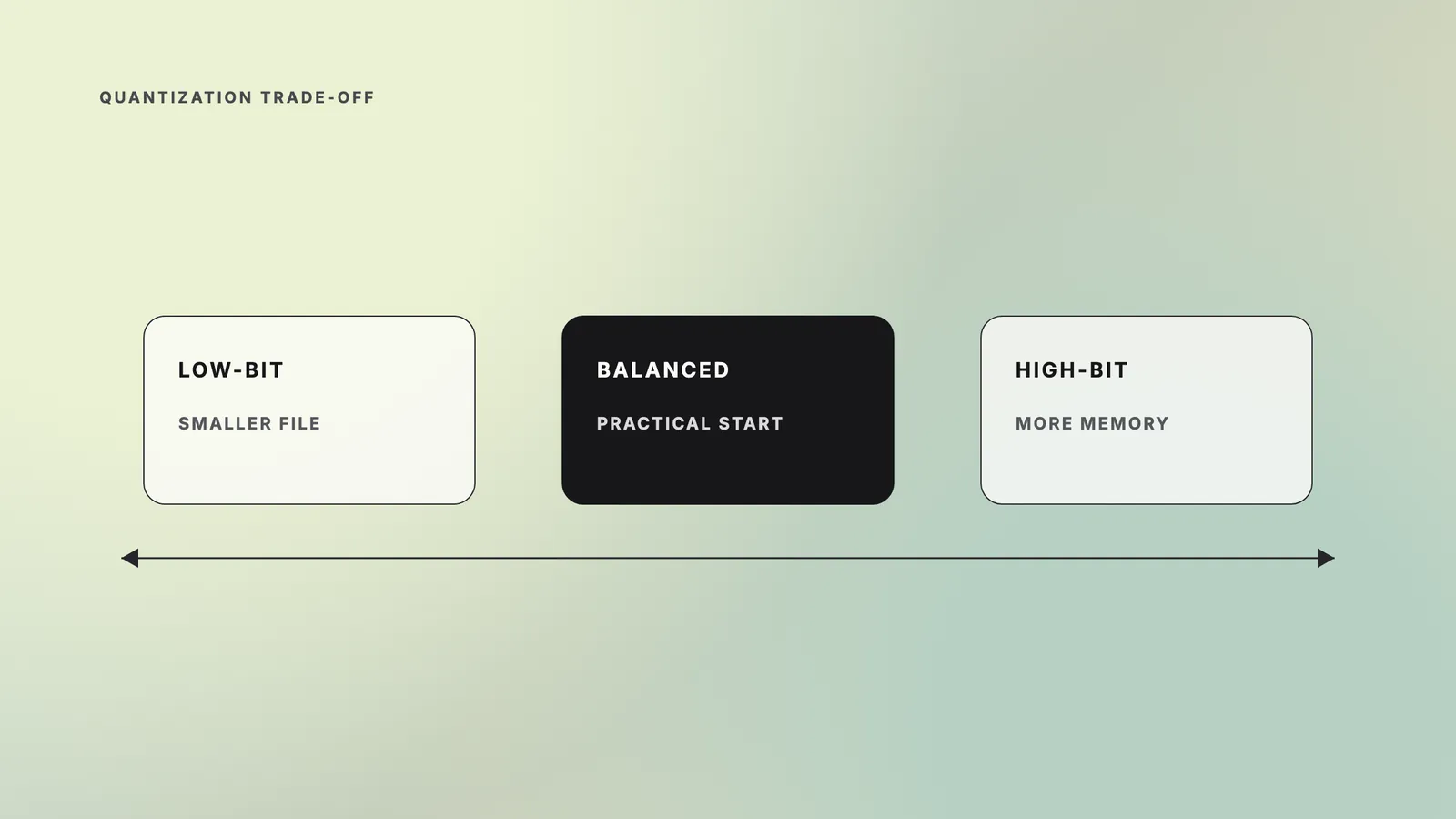
Unsloth’s community guide estimates 16–19 GB of combined RAM and VRAM for 4-bit quants, 23–26 GB for 6-bit, 31 GB for 8-bit, and 56 GB for BF16. Treat these as community guidance, not vendor specifications. LM Studio publishes a 16 GB minimum system-memory figure for its model listing, but it doesn’t publish an official VRAM-by-quant table. (Unsloth, August 19, 2026; LM Studio, updated August 17, 2026)
A 16 GB GPU can run Qwen 3.8 27B, but the cleanest path is a Q3-class or smaller quant with modest context. Q4_K_M requires partial CPU offload because its 16.81 GB weights file already exceeds the card before the cache and runtime load. Offload makes the model usable, but it adds data movement and reduces speed.
Which quantization should you choose?
Q4 is the sensible evaluation default for most 24 GB GPUs and Apple Silicon machines with enough unified memory. It usually preserves more behavior than aggressive two- or three-bit compression without approaching Q8’s memory bill. A 16 GB card should start with UD-Q3_K_XL or a smaller quant, then compare outputs against Q4 on representative prompts before accepting the quality trade-off.
Choose the format by platform:
- GGUF is the broad option for Windows, Linux, and macOS through llama.cpp-based runtimes. It supports partial GPU offload when the weights don’t fully fit.
- MLX targets Apple Silicon and uses unified memory. It isn’t a Windows or NVIDIA format.
- Q4_K_M is a balanced baseline for evaluation, not a universal best choice.
- Q6 or Q8 makes sense when quality differences matter more than memory, startup time, and throughput.
- Two- and three-bit quants make the model accessible on smaller hardware, but you must test instruction following, code edits, tool calls, and domain terminology.
Quantization trades output quality for memory. Test it on your repositories, tool schemas, long prompts, image inputs, and failure cases before choosing a deployment file.
How do you run Qwen locally in LM Studio?
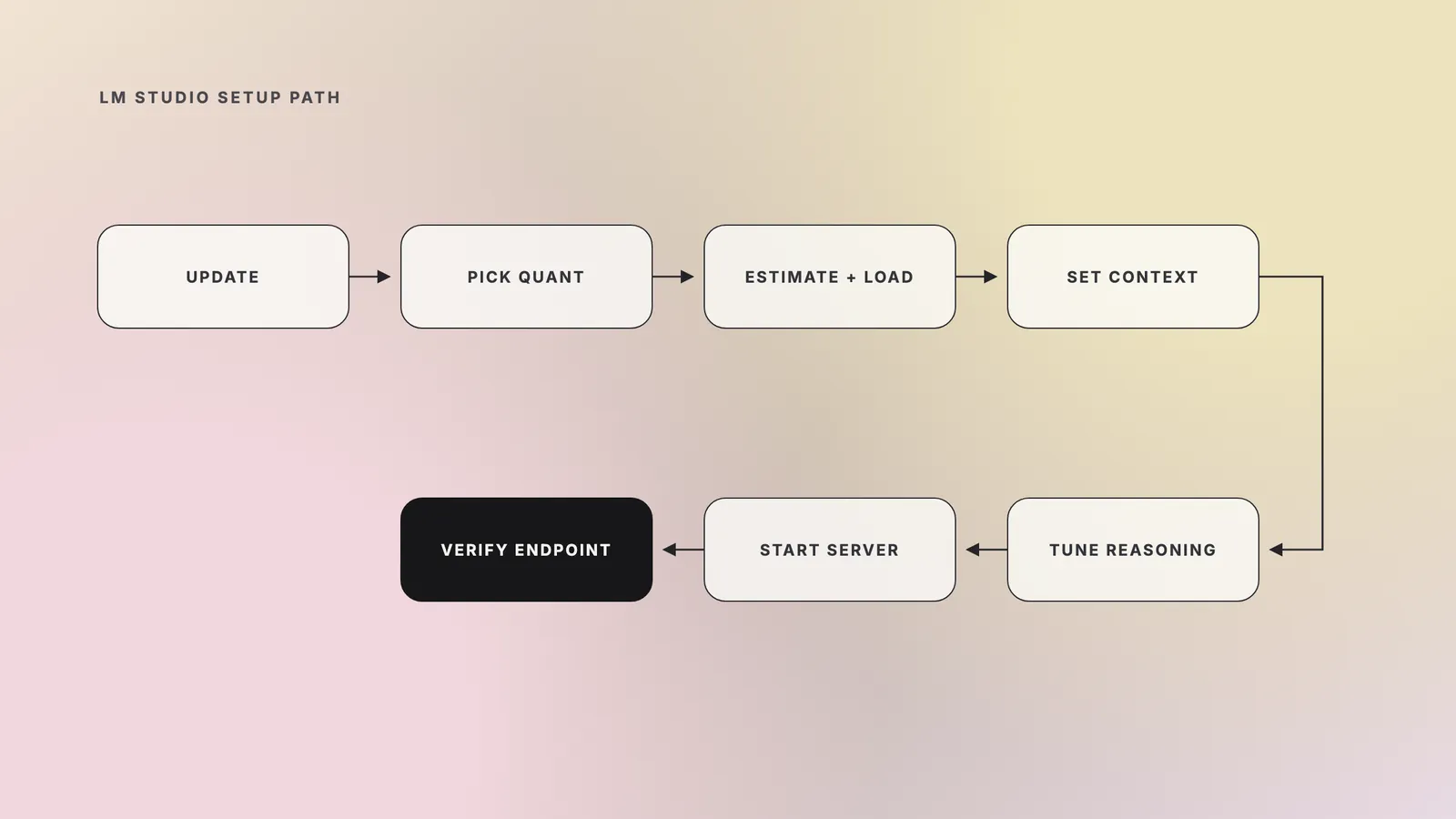
To run Qwen locally with fewer surprises, start with the newest LM Studio runtime, a conservative context, and a memory estimate before loading. The steps below apply to a single workstation and avoid treating the model’s maximum context as the default.
- Update LM Studio and its runtime. Use the app’s runtime manager or run lms runtime update. Older llama.cpp or MLX builds may reject the newer architecture.
- Choose the correct format and quant. Use GGUF for cross-platform llama.cpp support or MLX on Apple Silicon. Start with Q4_K_M on a 24 GB-plus machine or Q3/smaller on a 16 GB GPU.
- Estimate memory before loading. Run lms load –estimate-only <model> –context-length 32768 –gpu 1.0. LM Studio says the estimator accounts for context, GPU offload, Flash Attention, and vision models. (LM Studio CLI docs, accessed November 6, 2026)
- Load with a practical context. Start at 16,384 or 32,768 tokens. Raise it only after measuring available memory and latency. Set the value explicitly instead of relying on the app’s first-load default, which can change between LM Studio builds.
- Tune reasoning. Qwen’s model card lists xhigh as the default reasoning effort. Use medium or low for routine coding, and disable thinking when the task doesn’t benefit from it. Keep enough context for both the prompt and reasoning tokens.
- Verify multimodal files if you need vision. The LM Studio community GGUF repository ships a 0.93 GB BF16 mmproj. LM Studio treats a matching mmproj in the same model folder as the vision projector. Check that both files are present; if the catalog download omitted the projector, place the matching mmproj beside the GGUF before loading.
- Start the local API server. Run lms server start –port 1234, or start the server from LM Studio’s Developer tab. Port 1234 is the documented default. (LM Studio server docs, accessed November 6, 2026)
- Verify the loaded model ID. Run:
“bash curl http://localhost:1234/v1/models “
Use the returned ID in clients rather than guessing it. Send a short chat request and a simple tool call before connecting an agent that can edit files or run shell commands.
| Setup checkpoint | Pass condition | If it fails |
| Memory estimate | Model, context, cache, and projector stay within available memory | Lower context first, then choose a smaller quant or reduce GPU offload |
| Model endpoint | /v1/models returns the loaded model ID | Confirm the server port and that the model finished loading |
| Basic generation | A short prompt completes without exhausting context | Lower reasoning effort and inspect the active context allocation |
| Tool calling | A harmless test tool receives valid arguments | Check the model template and client tool schema before granting broader permissions |
| Control | What it governs | What it does not prove |
| Sandbox mode | File access and writes | Network or process isolation |
| Approval policy | When the agent asks before an action | That an approved action is safe |
| Container or VM | A separate runtime boundary | Safe mounts, credentials, or outbound access |
Simon Willison’s August 2026 tests show why the defaults matter. An 8,192-token LM Studio context was consumed by xhigh thinking; one SVG task took 21 minutes at xhigh versus 137 seconds with reasoning disabled. This is one practitioner’s observation, not a general benchmark, but it supports lowering reasoning effort before buying more hardware. (Simon Willison, August 16, 2026)
Teams that move beyond one workstation need the operating layer too: version pinning, evaluations, access controls, observability, fallbacks, and rollback. Teamvoy’s explanation of what breaks after an LLM demo covers that gap.
How do you connect Qwen Code to LM Studio?
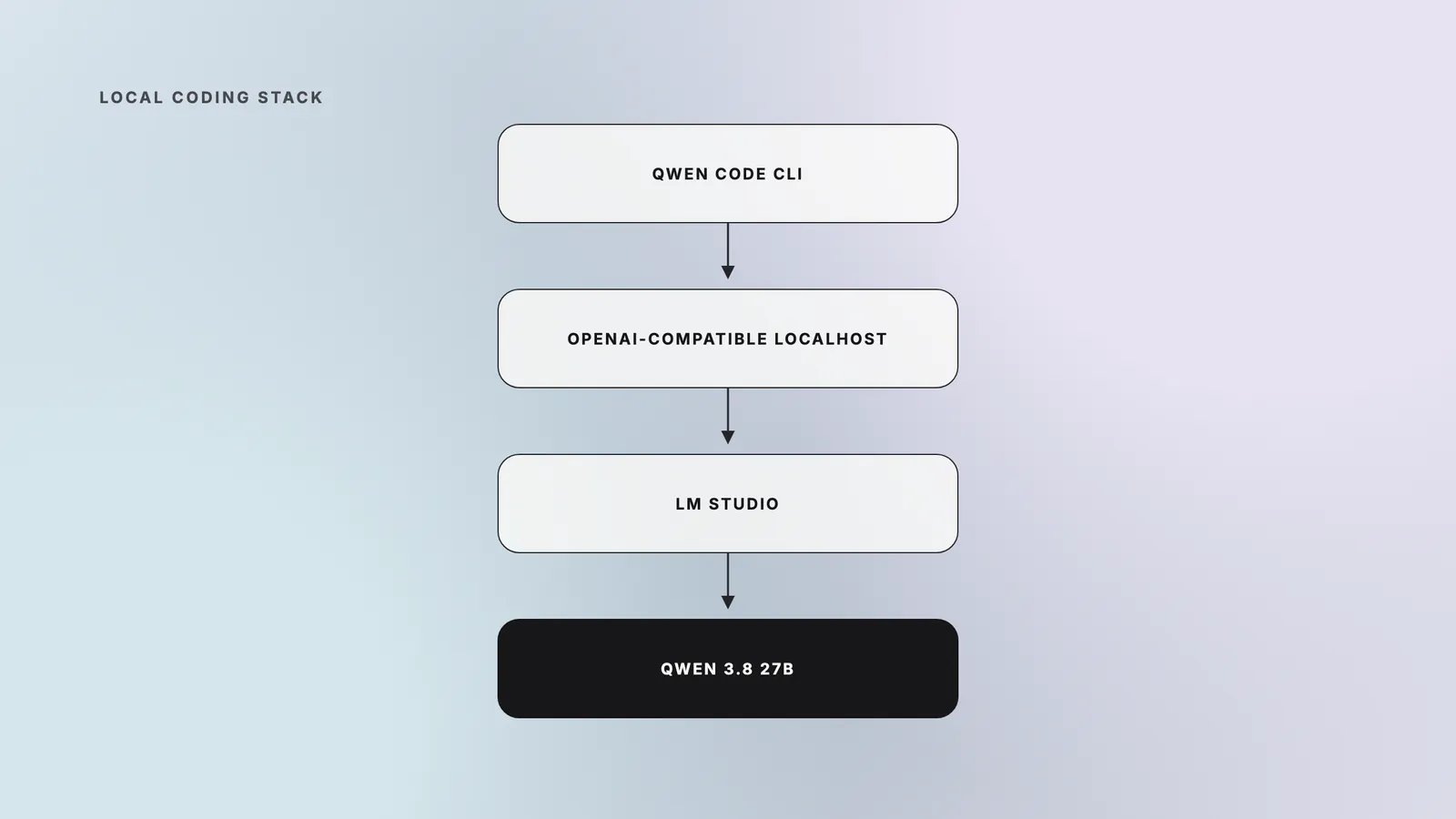
Qwen Code is an open-source terminal coding agent, while Qwen Coder names model families optimized for coding. They aren’t the same product. As of November 6, 2026, the official Qwen Code repository requires Node.js 22 or newer and documents local OpenAI-compatible providers through modelProviders.openai. (Qwen Code repository and package, November 6, 2026)
Install the CLI with either command:
“bash npm install -g @qwen-code/qwen-code@latest brew install qwen-code “
After LM Studio is serving the model, add a provider entry to ~/.qwen/settings.json. Replace the ID with the exact value returned by /v1/models, and set contextWindowSize to the context you loaded in LM Studio.
“json { “env”: { “LMSTUDIO_API_KEY”: “lm-studio” }, “modelProviders”: { “openai”: [ { “id”: “qwen3.8-27b”, “name”: “Qwen 3.8 27B in LM Studio”, “envKey”: “LMSTUDIO_API_KEY”, “baseUrl”: “http://localhost:1234/v1”, “capabilities”: { “reasoning”: { “profile”: “qwen-chat-template” } }, “generationConfig”: { “timeout”: 300000, “streamIdleTimeoutMs”: 600000, “contextWindowSize”: 32768 } } ] } } “
Qwen Code can infer thinking controls for model IDs that start with qwen. The explicit reasoning profile makes the intent clear if your served alias differs. Matching the CLI context to LM Studio matters because the Qwen Code fallback for an unknown alias can exceed a realistic local allocation. The official docs also state that Qwen Code sends tool definitions on every request, so the local server and model template must support tool calling. (Qwen Code model-provider docs, accessed November 6, 2026)
Start Qwen Code, run /model, and select the LM Studio entry. Run /status to confirm the CLI version. Then ask it to inspect a disposable test repository and perform a harmless tool call. Keep agent permissions narrow until you have checked patch accuracy, command selection, and recovery from tool errors.
A local coding agent has different operational risks from a chat window. Compare its permissions, review flow, and failure recovery with the controls in Teamvoy’s 2026 coding-agent decision framework.
What do the benchmarks prove?
The published tables show Qwen’s results, not independently reproduced frontier parity. Qwen 3.8 27b reports 73.0 on Terminal Bench 2.1, 61.7 on SWE-bench Pro, 90.3 on LiveCodeBench v6, and 89.2 on GPQA Diamond. Its card says most agentic evaluations used Claude Code at 256K context and that several suites were developed in-house. (Qwen model card, August 2026)
As of November 6, 2026, the research found no independent reproduction of those suites for this model. Willison’s work is useful as an independent practitioner check on latency, reasoning behavior, and MTP throughput, but it isn’t a reproduction of Qwen’s benchmark table. Your decision should come from a fixed evaluation set that reflects your codebase, tools, latency target, and acceptable failure rate. Teamvoy’s guide to LLM observability and evaluations explains how to turn those tests into a production gate.
When should you avoid running it locally?
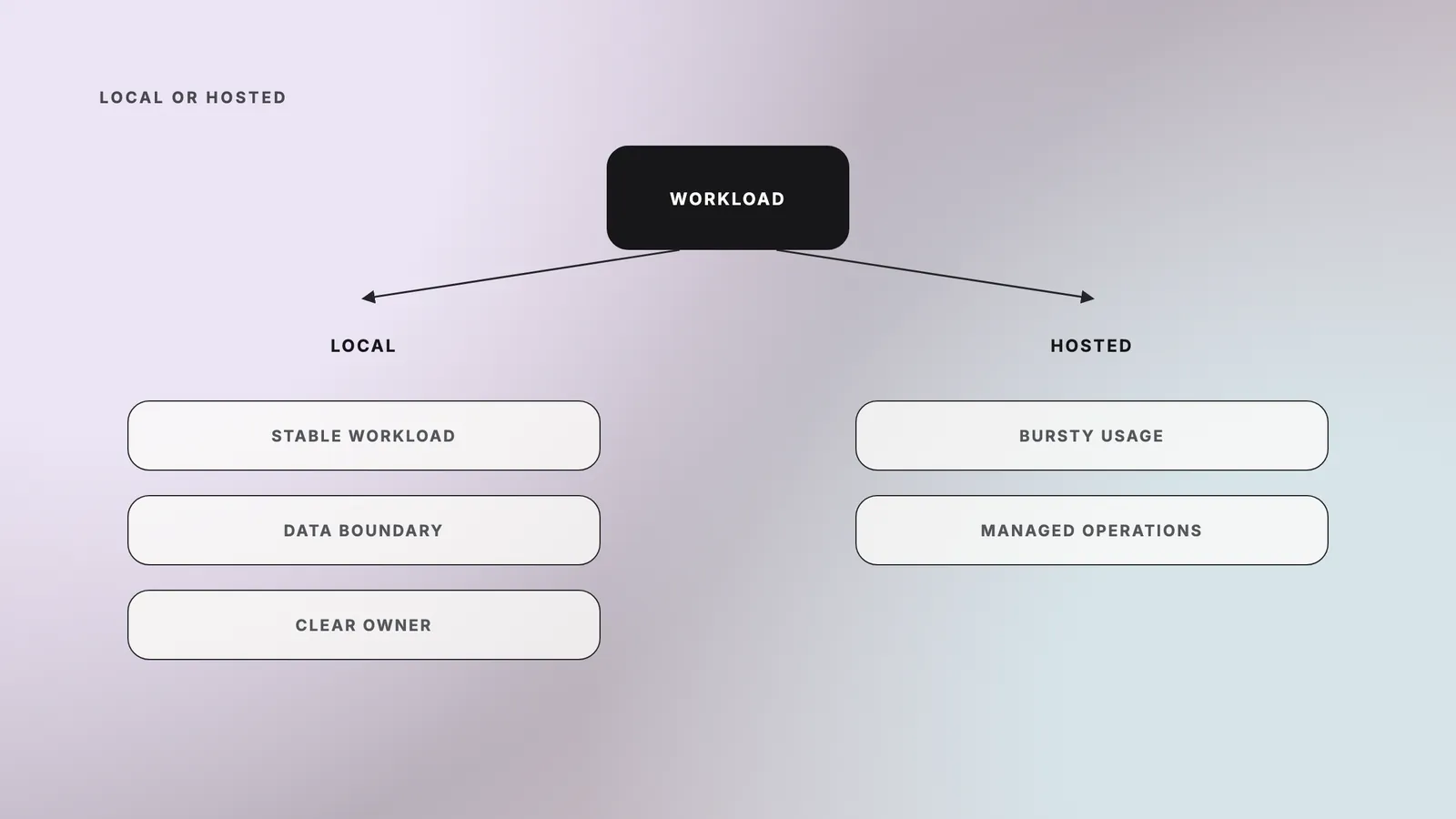
Hosted inference is usually the better choice for light, bursty, or unpredictable demand and for teams without an owner for model operations. Local hardware shifts spend away from per-token fees, but it adds capital cost, power, updates, security patching, capacity planning, monitoring, and time spent debugging runtime changes.
Choose hosted inference when:
- usage is intermittent and a GPU would sit idle;
- you need elastic concurrency or low latency across regions;
- nobody owns quant validation, runtime upgrades, and evaluation gates;
- the local quant fails your quality threshold;
- procurement and support matter more than controlling the serving stack.
Choose local inference when sustained utilization, data-boundary requirements, offline operation, or predictable capacity justify that operating burden. A hybrid route can keep sensitive workflows local and burst to a hosted provider for larger contexts or peak demand. An LLM gateway can standardize those routes.
| Decision signal | Prefer local inference | Prefer hosted inference |
| Demand pattern | Sustained and predictable | Light, bursty, or rapidly changing |
| Data boundary | Workload must remain on controlled infrastructure | Approved vendor processing is acceptable |
| Operations owner | A platform or LLMOps owner handles updates and evaluations | The team wants the vendor to operate the serving layer |
| Capacity need | One machine or a planned cluster covers expected demand | Elastic concurrency and regional reach matter |
| Model quality | A tested local quant meets the acceptance threshold | Higher-quality hosted models justify the external dependency |
Local inference tightens the data boundary because prompts and outputs can stay on infrastructure you control. It does not create compliance by itself. Regulated deployments still need access control, audit logs, retention rules, vendor and model risk review, security testing, incident response, and evidence that the system behaves within policy.
Build the deployment around the workload
Qwen 3.8 27B makes capable local inference accessible on one well-chosen machine, but the quant and context determine whether that claim holds. Start with measured file sizes, reserve headroom, test tool use and your own codebase, and keep hosted inference in the decision set. If you need a team to design the evaluation, local serving, and production controls, hire AI engineers from Teamvoy.