

- Integration: AI tools should connect to the systems your business already runs.
- Security and compliance: Ensure tools meet your industry's security, privacy, and regulatory requirements.
- Scalability: Choose solutions that can grow with your business and handle increasing workloads.
- Adoption: Evaluate whether employees can easily integrate the tools into their daily workflows.
- Measurable impact: Focus on tools that improve business metrics you already track.
- Shortlist by business function: Select AI tools based on the specific job they need to perform rather than their brand.
- Establish a baseline: Define existing performance metrics before implementing AI to measure its actual impact.
- Prioritize integration and adoption: Most companies already use AI somewhere, but few have scaled it successfully. The gap is primarily integration and adoption work, not model quality.
- Evaluate AI tools for business: Compare solutions based on their suitability for your systems, data, and compliance obligations.
- Identify industry-specific applications: Explore where AI delivers value across banking, insurance, healthcare, manufacturing, retail, and logistics.
- Measure ROI: Track the business outcomes and financial returns of AI implementation.
- Use reliable evidence: This guide draws on published research and vendor documentation, not on a benchmark conducted by Teamvoy. Where a claim relies on a single source, that source is identified in the relevant sentence.

1. Teamvoy’s Approach: Intelligent Automation and Digital Transformation
Teamvoy treats AI for business as an engineering problem tied to each industry’s rules and existing systems. The sequence starts with an audit of where AI would pay back, moves to a short proof on the highest-value case, and only then scales into daily operations with human oversight. The company’s AI implementation strategy guide lays out that order and the reasoning behind it.
Key features: a fixed-scope readiness audit, ranked opportunities, a fast proof on the highest-value one, then scaling with human oversight.
The first step on teamvoy.com is an AI and system readiness assessment, described there (read 2026-10-29) as “architecture review, risk surface, prioritised action plan,” with no obligation. From there, opportunities are ranked by payback. The highest-value one is proven quickly, and only then does it move into production. The AI transformation roadmap for enterprises walks through the stages, and the AI consulting page describes the advisory side of the same work.
Much of the work is clearing the path. A legacy core often blocks AI because the data is locked inside it, so legacy platform modernization often comes before any model goes live.
For banking, insurance, and healthcare, Teamvoy’s site lists the standards those sectors answer to, among them SOC 2, DORA, BaFin, HIPAA, GDPR, PCI DSS, and the EU AI Act. As of 2026-10-29, the Teamvoy homepage states that the company is trusted by Nasdaq, OSL, Panasonic Avionics, and 50+ others. The aim in each engagement is an AI deployment that matches a business goal and survives a regulator’s questions.
Pros: one partner covers audit, modernization, and delivery, and the approach is built around regulated industries.
Cons: it suits organizations ready to invest in integration work. If a subscription tool already does the job, you don’t need an engineering partner, and hiring one would add cost without adding value.
2. How We Evaluated AI Tools for Business
Five tests decide whether an AI tool earns a place on a shortlist: integration, scalability, security and data privacy, ease of adoption, and measurable business impact. They are the questions a CTO or COO asks before signing, and they work for a subscription assistant as well as for a custom system. Teams that run an enterprise AI readiness assessment before buying tend to spot the gaps early.
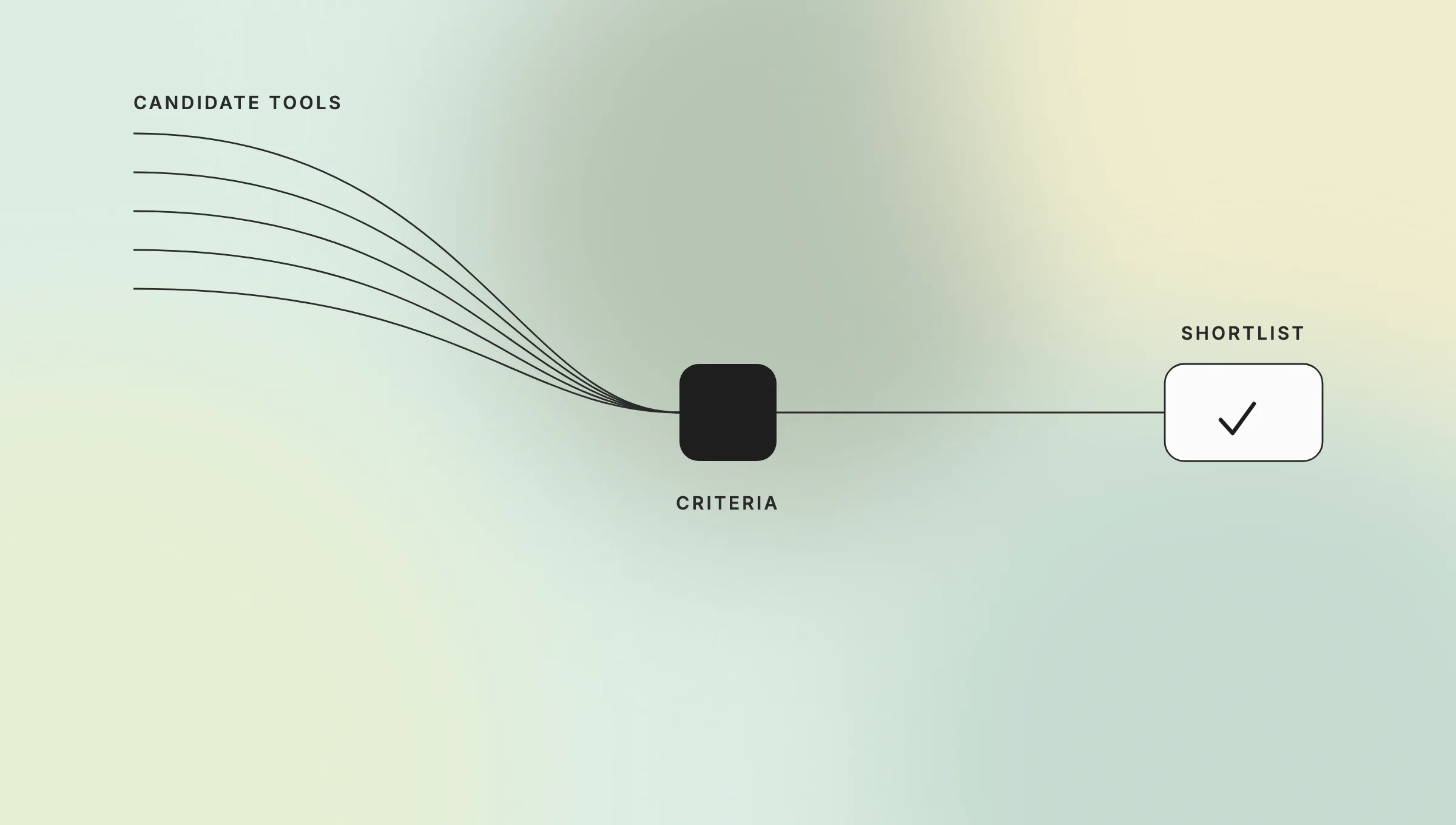
Five tests decide whether an AI tool earns a place on the shortlist: integration, scalability, security, adoption, and measurable impact.
Key features: five weighted criteria, scored against your real systems.
- Integration with existing workflows and systems. The tool has to reach your CRM, ERP, data warehouse, and internal services. A model with no access to your data does no useful work.
- Scalability for teams of all sizes. It should serve a ten-person operations group and a thousand-person division without a redesign every few months.
- Security and data privacy. For regulated businesses this means clear data residency, access controls, audit logging, and alignment with SOC 2, HIPAA, or DORA.
- Ease of use and adoption. If people need a week of training to send a prompt, the tool sits unused.
- Measurable business impact. Every candidate must tie to a number a leader cares about: hours saved, errors reduced, cases resolved, or revenue influenced.
Plenty of tools impress in a demo and still fail three of these five. Weight integration and measurable impact highest, because those two separate a working deployment from an expensive experiment. The table below turns each criterion into the question to put to a vendor.
| Criterion | Question to ask the vendor |
|---|---|
| Integration | Which of our systems does it connect to today, through which interface, and who maintains the connector? |
| Scalability | What changes in price, latency, and admin effort between 10 users and 1,000? |
| Security and privacy | Where is our data stored and processed, who can see it, and what does the audit log record? |
| Ease of adoption | How long until a non-technical user completes a real task without help? |
| Measurable impact | Which metric in our reporting should move, and how will we attribute the change to the tool? |
Pros: a repeatable, vendor-neutral way to compare tools.
Cons: scoring integration honestly requires real access to your systems, so the framework works only after a technical discovery step.
3. Best AI Tools and Solutions for Business in 2026
The best AI tools for business sort into a handful of operating roles, and the strongest setups combine them: a drafting assistant, an assistant inside your office suite, AI embedded in your CRM, meeting notes, competitive intelligence, and workflow automation. The market behind them is large. Grand View Research’s April 2026 press release expects the global AI market to reach $3,497.26 billion by 2033, growing at a 30.6% CAGR from 2026 to 2033 (Grand View Research).
Key features: six roles, a named-tool table, and inclusion criteria tied to real-world impact, security, and integration.
| Operating role | What it does | Examples | Common business use |
|---|---|---|---|
| Drafting assistant | Creates text, code, and first drafts | ChatGPT, Claude | Marketing copy, emails, large-document processing |
| Assistant inside your suite | Works across the documents, mail, and chat you already use | Microsoft Copilot, Gemini, ChatGPT Enterprise | Cross-team productivity |
| CRM-embedded AI | Scores, summarizes, and drafts inside the sales pipeline | HubSpot, Salesforce | Lead follow-up, pipeline hygiene |
| Meeting notes | Records, transcribes, and summarizes calls | Otter, Fireflies | Action items, decision logs |
| Competitive intelligence | Tracks competitor and market signals | Crayon | Pricing and positioning decisions |
| Workflow automation | Runs multi-step work across your tools | Lindy, Dust | Routing, enrichment, hand-offs between systems |
This is a shortlist by role, not a ranking, and Teamvoy hasn’t benchmarked these tools first-hand. Tool roles come from an 18-assistant comparison published by Slite, a small-business tools roundup from The Boutique COO, and a leadership tools article from The Journey Platform, all read in October 2026.
Vendors change packaging often, so confirm current features on each vendor’s own page before buying.
Slite’s test, as the company describes it (article dated 2026-06-02, read 2026-10-29), connected each of the 18 assistants to the same Slack and Google Drive data and asked 15 identical business questions. In Slite’s account, which assistant led depended on the main job to be done, and answer quality tracked the knowledge the assistant could reach. That is the first criterion in practice: a model performs only as well as its access to a reliable source of truth.
For agent-style automation, Teamvoy’s guide to AI agents for automating business processes compares the options in more depth. The overview of enterprise AI companies covers the vendors building the platforms underneath.
AI solutions for business make this shortlist when they show real-world impact, meet security requirements that hold up in a regulated environment, and connect to the systems a business already runs. The best AI for business is the one that passes those three tests against your stack, not the one with the most features on the pricing page.
Pros: a role view keeps teams from buying three tools that do the same job.
Cons: published tool lists date quickly, so treat any named product as a starting point for evaluation, not a recommendation.
4. Industry-Specific Use Cases: AI in Banking, Healthcare, and More
AI returns the most where workflows repeat, data is plentiful, and oversight is strict. Banking, insurance, healthcare, manufacturing, retail, and logistics fit that profile, and adoption there is broad but shallow. McKinsey’s State of AI survey (fielded June 25–July 29, 2025; 1,993 respondents in 105 countries; published November 2025) found 88% of organizations using AI regularly in at least one function, up from 78% a year earlier. Only 7% said AI was fully scaled across the organization (McKinsey).

McKinsey found 88% of organizations used AI regularly in at least one function, while 7% had fully scaled it across the organization.
Key features: concrete use cases per sector, tied to efficiency, compliance, and customer experience.
In banking, AI supports fraud detection and personalized service. It scores transactions in real time and flags patterns a rules engine would miss; see the overview of generative AI in banking. In healthcare, it assists diagnostics, triages cases, and reduces administrative load around scheduling and documentation, as covered in AI implementation in healthcare.
Insurers apply automation to intake and review, and the write-up on insurance claims processing automation shows where the time goes. Manufacturers use predictive maintenance to catch failing equipment before a line stops, and vision models to inspect quality at speed (AI automation in manufacturing). Retail applies AI to demand forecasting and personalization so inventory and offers match demand. Logistics operators use it for route optimization and exception handling.
Each sector faces a different pressure, yet the test is the same: the tool has to improve efficiency, hold up under compliance review, and make the customer experience measurably better. Most organizations have a pilot somewhere; the 7% that have scaled AI for business are the ones that passed it.
Pros: sector-specific use cases come with clearer benchmarks, because the workflow is already measured.
Cons: adoption figures are cross-industry survey averages, so your own baseline matters more than any quoted percentage.
5. AI for Business Leaders: Key Benefits and Considerations
For business leaders, AI pays off in three places: faster and better-informed decisions, routine work handled automatically, and growth from products that weren’t practical before. The menu of use cases is wide; the harder question is which ones fit your organization now, and that depends on your data, your systems, and how your teams will work differently. The piece on AI-driven decision making for managers covers the decision side in practice.
Key features: executive benefits, change management, and governance.
People matter as much as technology. Change management decides whether a capable tool gets adopted or quietly ignored, so workforce readiness, clear ownership, and honest communication need attention from day one. Choosing AI for business leaders is partly a decision about how teams will work differently, and the gap between 88% using and 7% scaled (McKinsey, November 2025) sits on the people side more often than on the model side.
Governance is the other half. Set clear policies on data use, require transparency and explainability where decisions affect customers, and keep AI inside the regulations that bind your sector. Compliant use also makes the value defensible when a regulator or board asks how a decision was made.
Pros: clearer decisions and less manual routine.
Cons: benefits arrive only with sustained attention to training, ownership, and governance.
6. Overcoming Common Challenges in AI Implementation
Three problems stall most AI for business projects: legacy systems that resist integration, data that is incomplete or inconsistent, and teams wary of change. Each has a known fix (phased rollouts, data governance, and early involvement of the people who do the work), and each fix takes longer than buying the tool. The analysis of enterprise AI implementation challenges goes deeper on each.
Key features: phased rollouts, data governance, and staff training.
Legacy integration is usually the hardest. Older cores weren’t built to expose data to modern services, so a phased rollout beats a single switch. Modernize or wrap the parts that block access, prove value on a contained use case, and expand once the pattern holds. The guide to legacy system AI integration shows how that sequence looks in practice.
Data quality sits underneath everything. A model fed messy, duplicated, or poorly labeled data gives answers no one trusts, so governance, named data owners, and basic cleanup come before the ambitious use cases. On the people side, targeted training and early involvement of the staff who do the work turn resistance into adoption.
Pros: a phased plan limits risk and shows early results.
Cons: it takes longer to reach full scale than a single big-bang launch.
7. Integrating AI Solutions with Existing Business Systems
Connecting AI solutions for business to the systems where work already happens decides whether they produce a business result. That means the CRM, ERP, and data platforms, so the connection method deserves as much attention as the model choice. Three paths are common (APIs, middleware, and custom connectors), and real projects mix them. The enterprise AI integration guide and integrating AI into your current software cover the options.
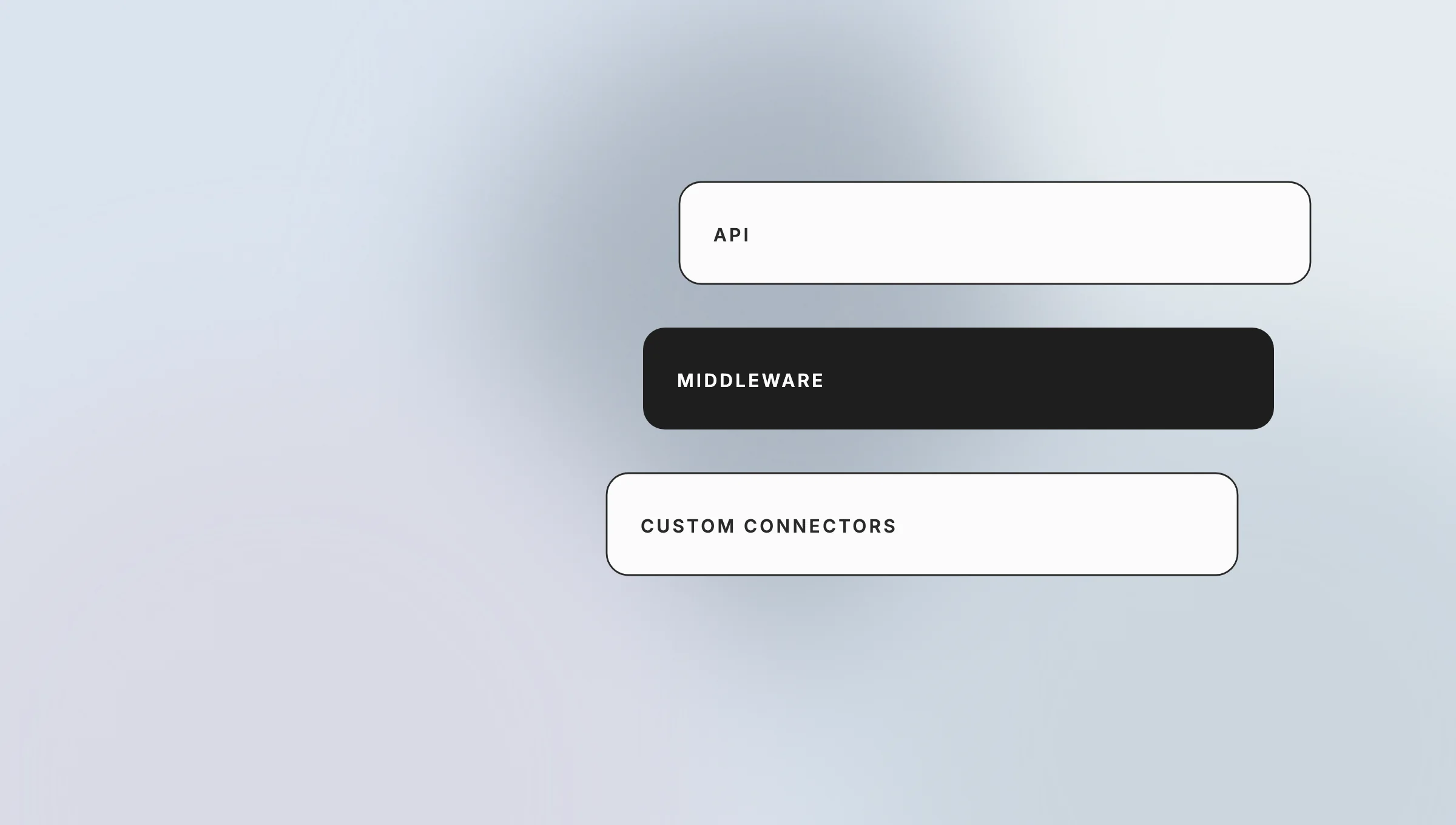
APIs, middleware, and custom connectors to connect models with existing business systems.]
AI integrations commonly combine APIs, middleware, and custom connectors to connect models with existing business systems.
Key features: APIs, middleware, custom connectors, and security carried through each link.
APIs link tools directly when a clean interface exists. Middleware sits between systems never designed to talk and translates data between them. Custom connectors fill the gaps where off-the-shelf options fall short, which happens often in regulated environments running older software. Teamvoy’s AI integration services page describes the connector work in that third category.
Security travels with the data at every step. Integration should preserve access controls, encrypt data in transit and at rest, and log who touched what, so that connecting a model doesn’t widen your attack surface. A well-integrated AI workflow raises productivity with little disruption, because people barely change where or how they work.
Pros: integrated tools raise productivity without forcing new habits.
Cons: custom connectors add build and maintenance effort, and that effort recurs every time a vendor changes its API.Read the mail. Read the log. Ask who acts. Ask what breaks. If no one can say, the plan is not done.
8. Measuring ROI: The Business Impact of AI Adoption
Define return metrics before rollout, because measurement keeps an AI for business program funded. Set a baseline first, then track KPIs for productivity, cost, and revenue: hours saved per process, error rates, cases resolved per employee, and revenue influenced by AI-assisted work. Borrowed benchmarks from other companies tell you little about your own case, so test against your own numbers. The guide to AI transformation success metrics lists more KPIs by function.
Key features: baseline-first KPIs, your own benchmarks, and a reporting method for stakeholders.
The baseline is the part teams skip. Measure the process for four to eight weeks before the tool goes in: how long a claim takes to triage, how many tickets an agent closes per shift, how many drafts a marketer ships per week. Then run the tool on the same process and compare. Published cross-industry percentages can’t replace that step, because they average across use cases and deployment quality. Budget belongs in the same conversation, and the cost of AI implementation article covers what drives it.
Reporting is a task of its own. Translate technical results into the language of the board and the finance team. Put the baseline beside the current number. State plainly what is attributable to AI and what isn’t, because that discipline lets the next investment rest on evidence.
Pros: clear metrics defend the budget.
Cons: attributing gains to AI alone is difficult when other changes ship at the same time, and an honest report sometimes shows a smaller effect than the pilot promised.cludes Safe Links, Safe Attachments, and anti-phishing controls. Native fit can reduce friction, but policies, licenses, exceptions, tuning, and ownership still need clear decisions.
9. Latest Trends in AI for Business
The main trend in AI for business is the move from generative assistants toward autonomous agents that carry out multi-step tasks across real tools, with a human reviewing the decisions that matter. Leaders are favoring agents that fit existing systems over standalone novelties, and regulators are asking for explainability and documentation at the same time. For background on how these agents work, see what autonomous AI agents are.
Key features: autonomous agents, explainability, and compliance by design.
Agent adoption is early. In the same McKinsey survey (published November 2025), 23% of respondents said their organizations were scaling an agentic AI system somewhere in the enterprise, and a further 39% were experimenting. In any single business function, no more than 10% were scaling agents (McKinsey). Agents extend automation beyond single tasks, and they raise the bar for the logging and oversight that let you trust the result.
Explainability and transparency are becoming expected, because a business can’t defend a decision it can’t explain. Regulatory compliance is following the same path, as financial and healthcare rules increasingly shape what an AI system is allowed to do and how it must be documented. Favor AI solutions for business that integrate cleanly, show their reasoning, and support the compliance obligations your industry already carries.
Pros: agents extend automation beyond single tasks.
Cons: they raise the bar for oversight, logging, and explainability, and most organizations are still at the experiment stage.
Talk to Teamvoy About AI for Business
Pick the one workflow in your business with the most repeated work and the cleanest data, and score it against the five criteria in section 2. Teamvoy’s readiness assessment, an architecture review that ends in a risk surface and a prioritized action plan with no obligation, is the structured version of that exercise. You can request a readiness assessment to start.